Notes
Every meeting.
Summarized.
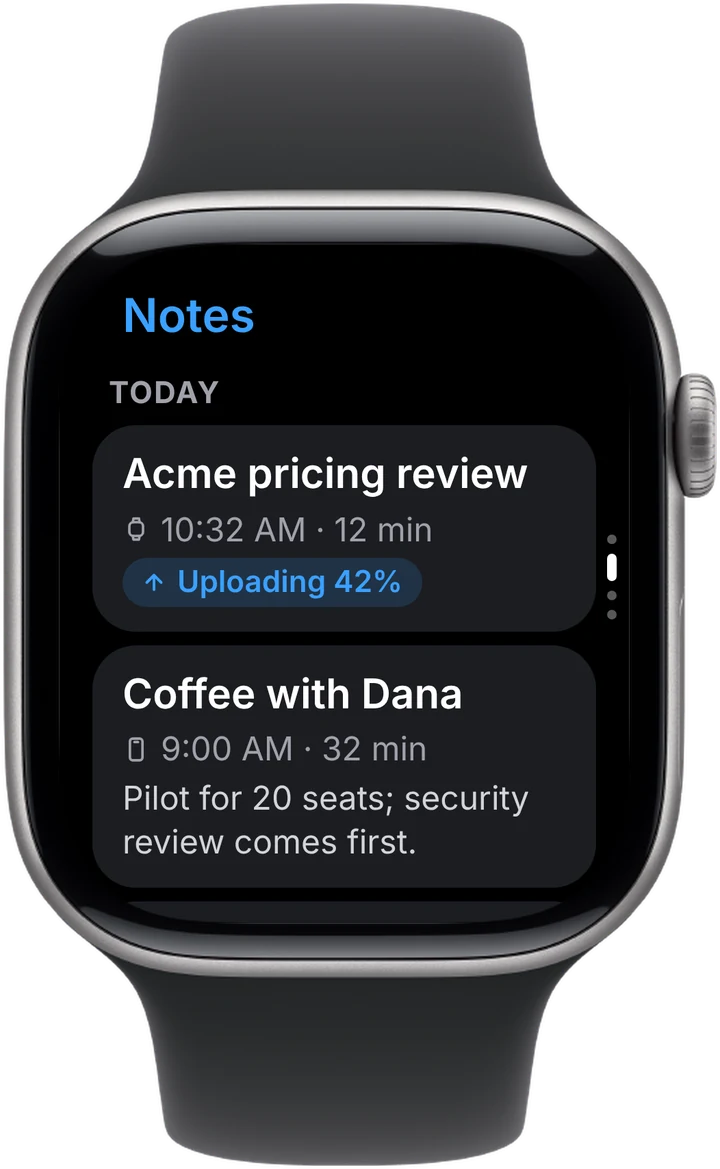
Scroll your notes with a one-line summary for each, and see new recordings go from uploading to ready.
Tap once on Apple Watch to record any meeting or conversation — your phone can stay in your pocket. Get AI notes, action items and answers right on your wrist, or on iPhone and desktop.

Start for free, no credit card required.




Sign in once on iPhone and the watch is ready. Nothing to set up on your wrist.
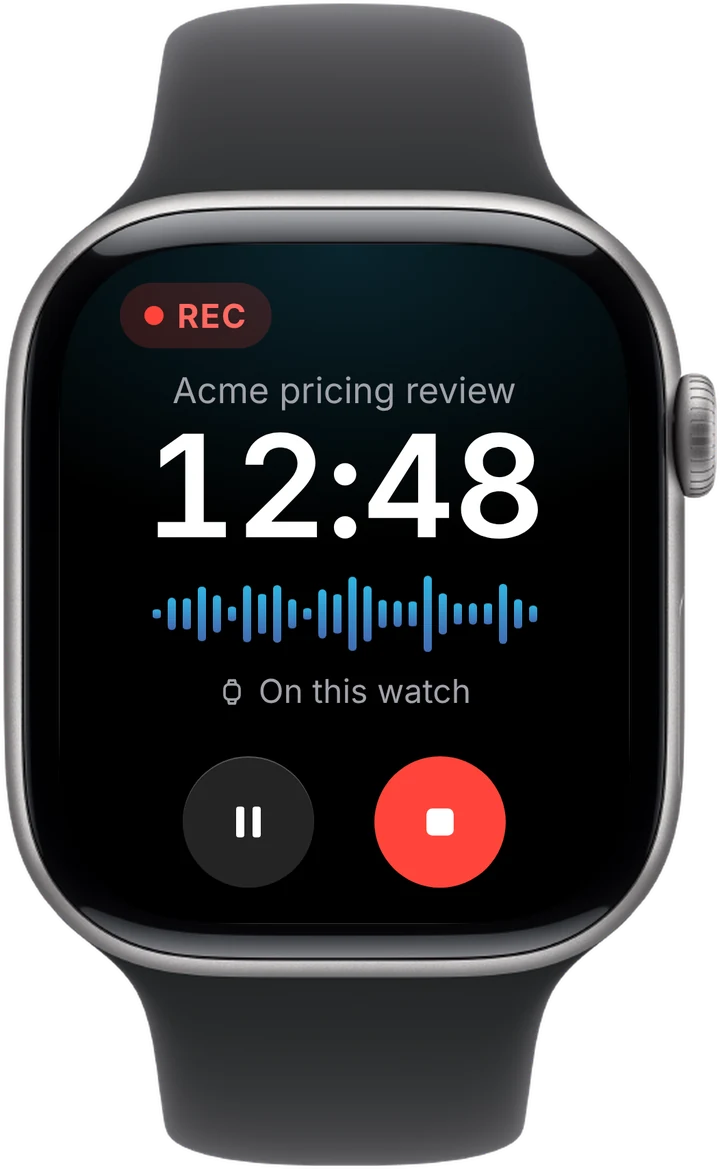
Tap the record button, or start right from your watch face. A gentle tap on your wrist confirms you're recording — no menus, no confirm screens.
Lower your wrist and keep talking. Laxis keeps recording with the screen dimmed, and pause or stop is always one tap away.
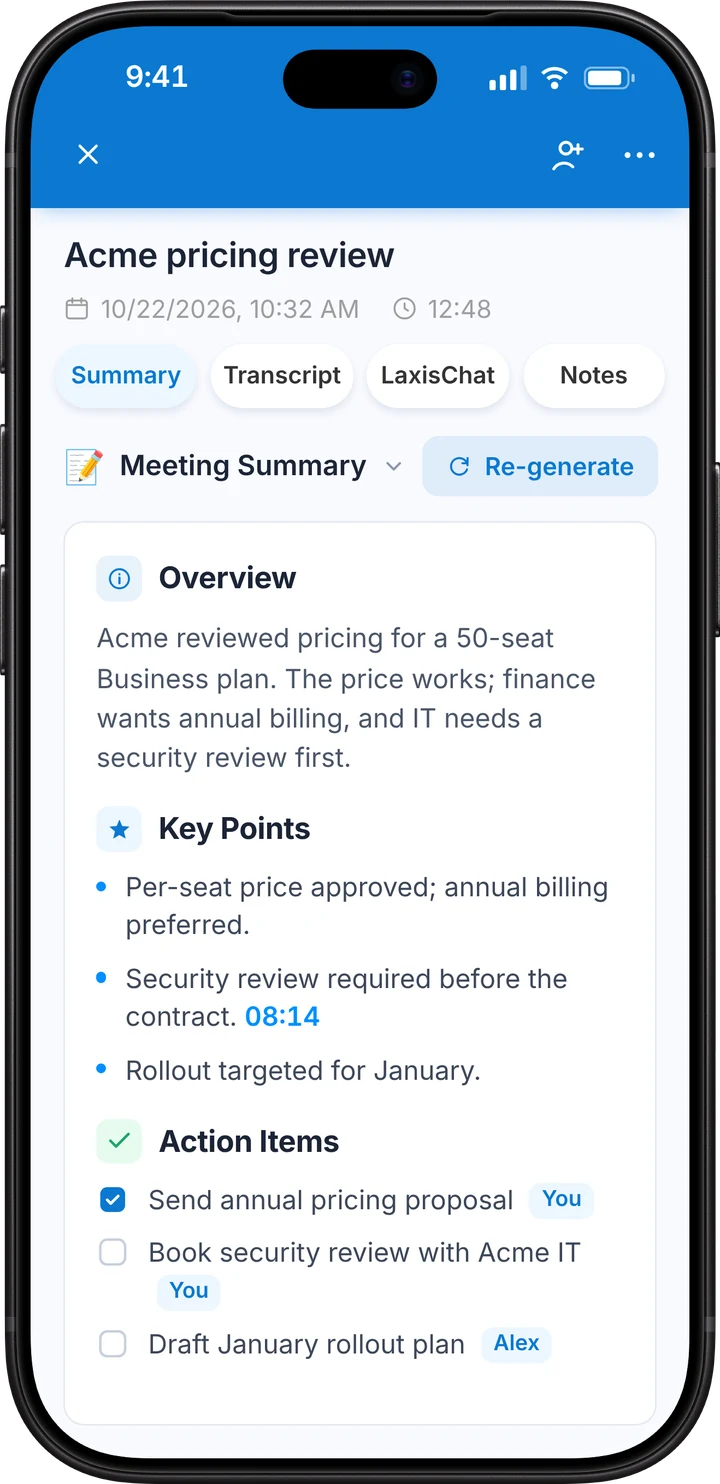
When you stop, Laxis writes the AI notes, pulls out action items and lets you chat with the conversation — on your wrist, your iPhone or your desktop.
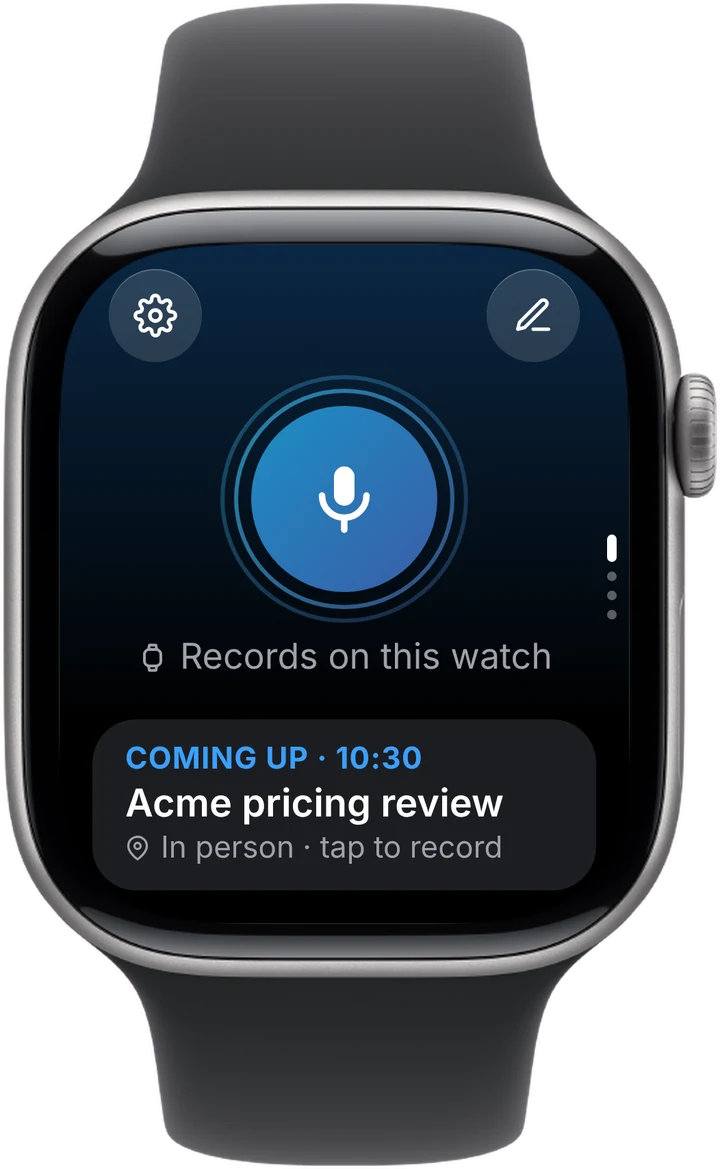
Laxis shows your next meeting right on the watch. Tap it to start recording, and your notes are filed under that meeting automatically — nothing to name or sort later.
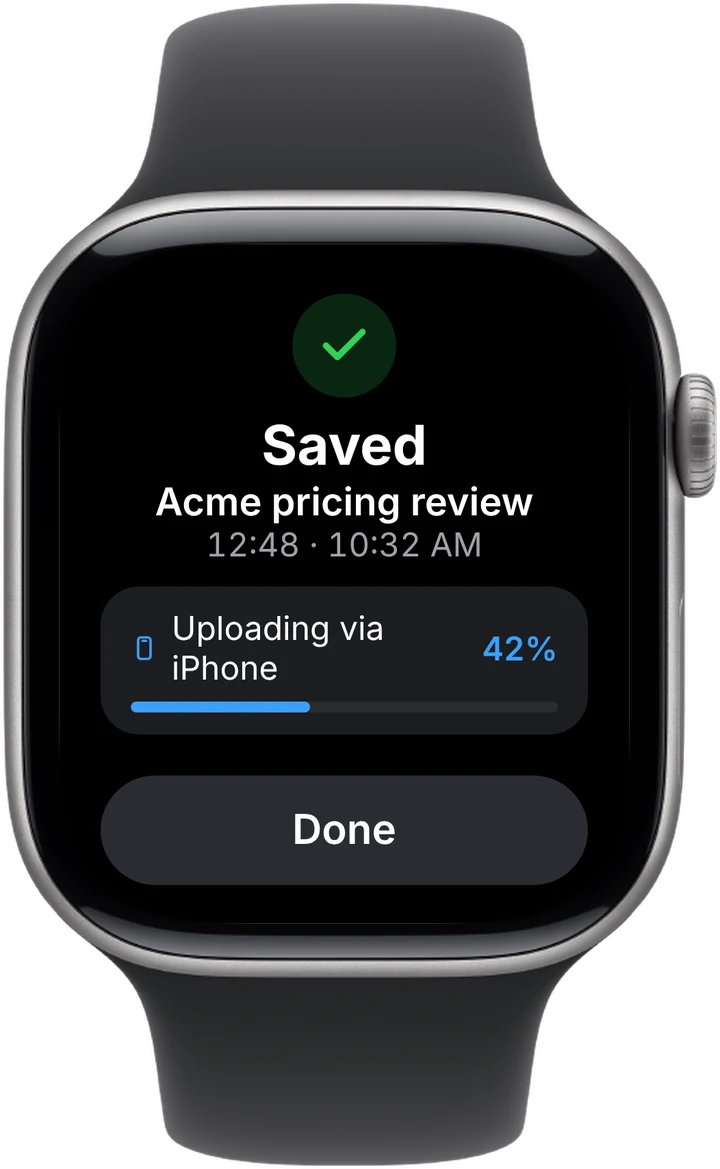
Laxis records with the watch's own microphone, even when your iPhone isn't with you. The recording stays safe on your wrist and syncs on its own.
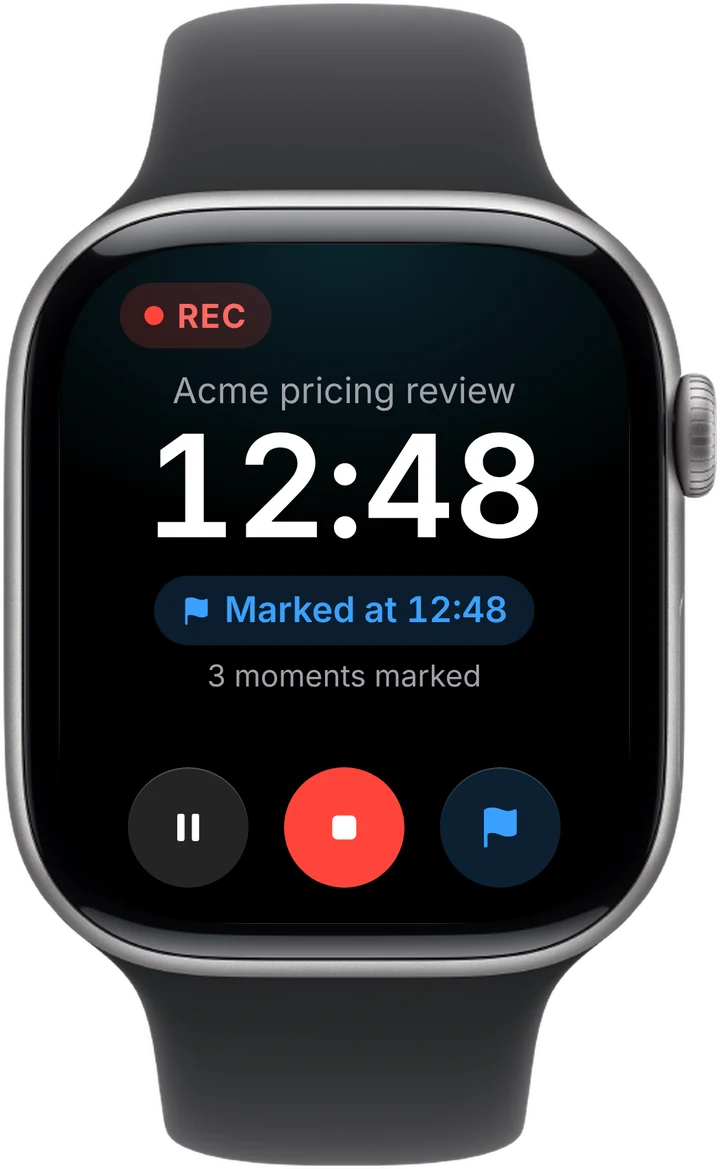
Heard the number you'll need later? Tap the flag. Each mark becomes a jump point in the transcript, so you can find the moment in seconds.
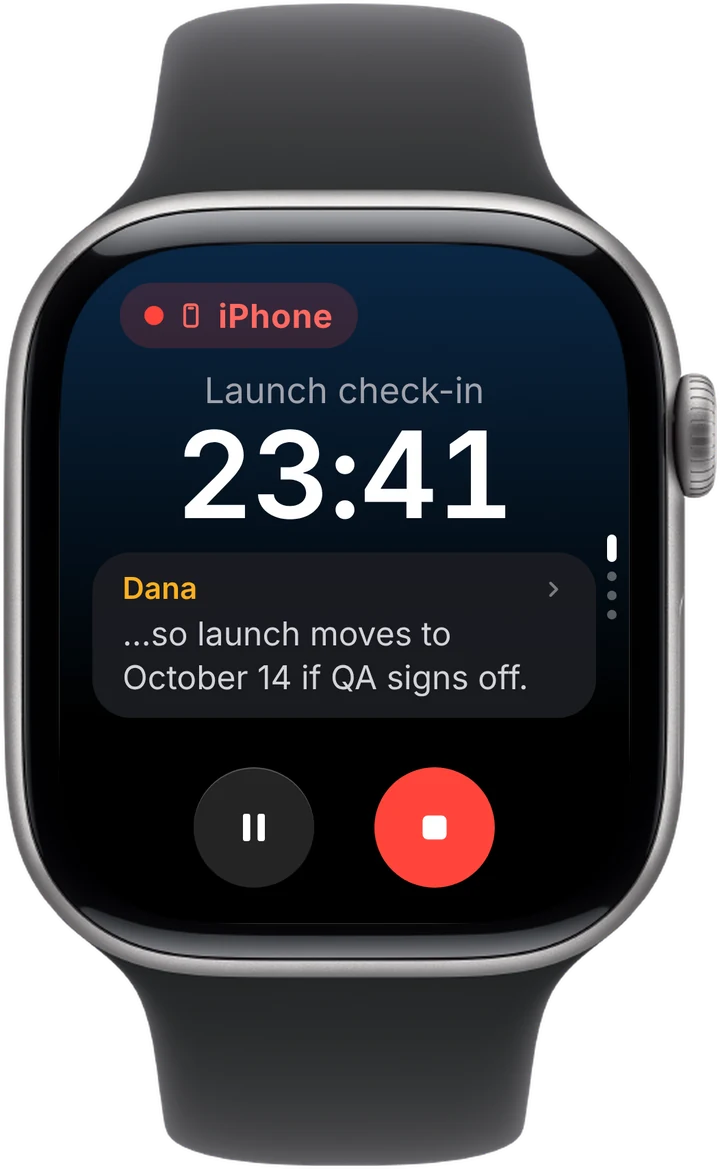
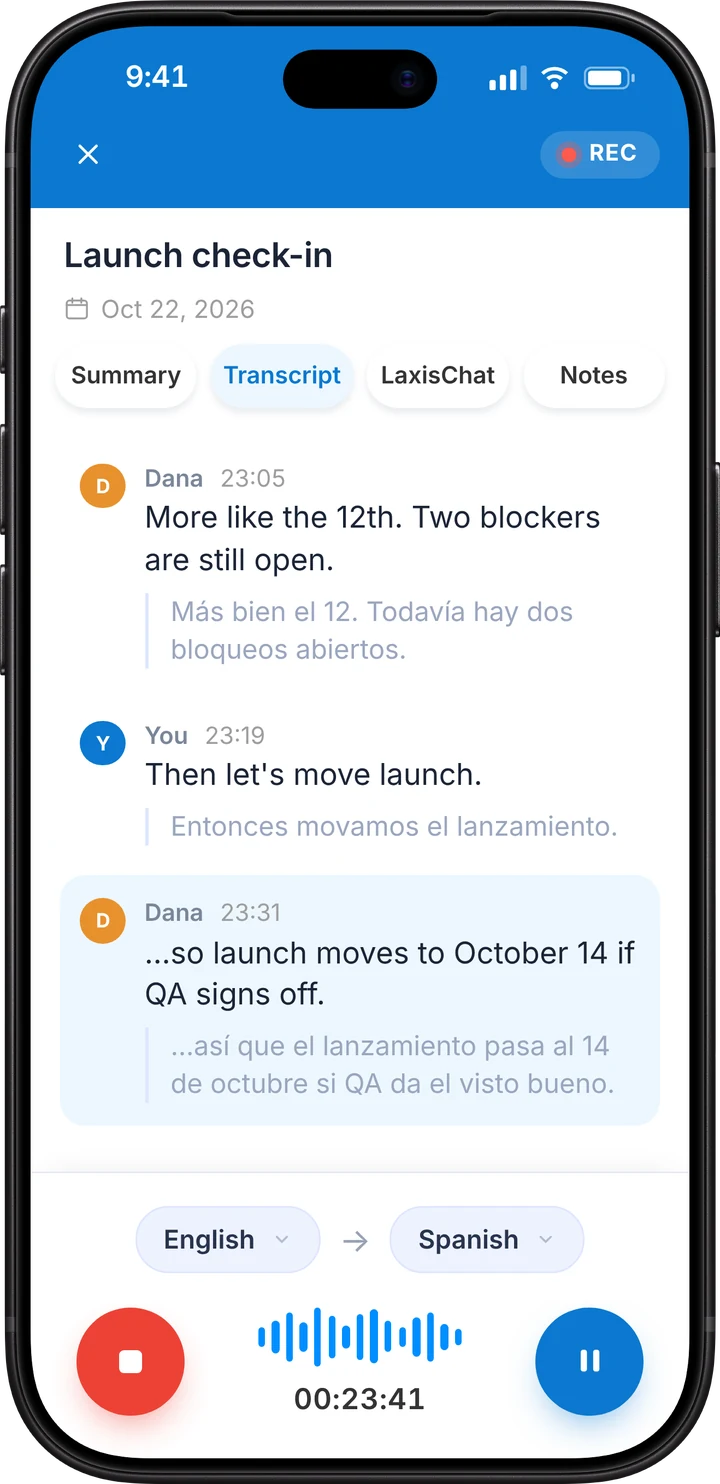
When a recording is running on iPhone, Apple Watch shows the timer and the live transcript, with pause and stop a tap away. No need to pick up your phone mid-meeting.
Catch up between meetings without reaching for your phone.
Scroll your notes with a one-line summary for each, and see new recordings go from uploading to ready.
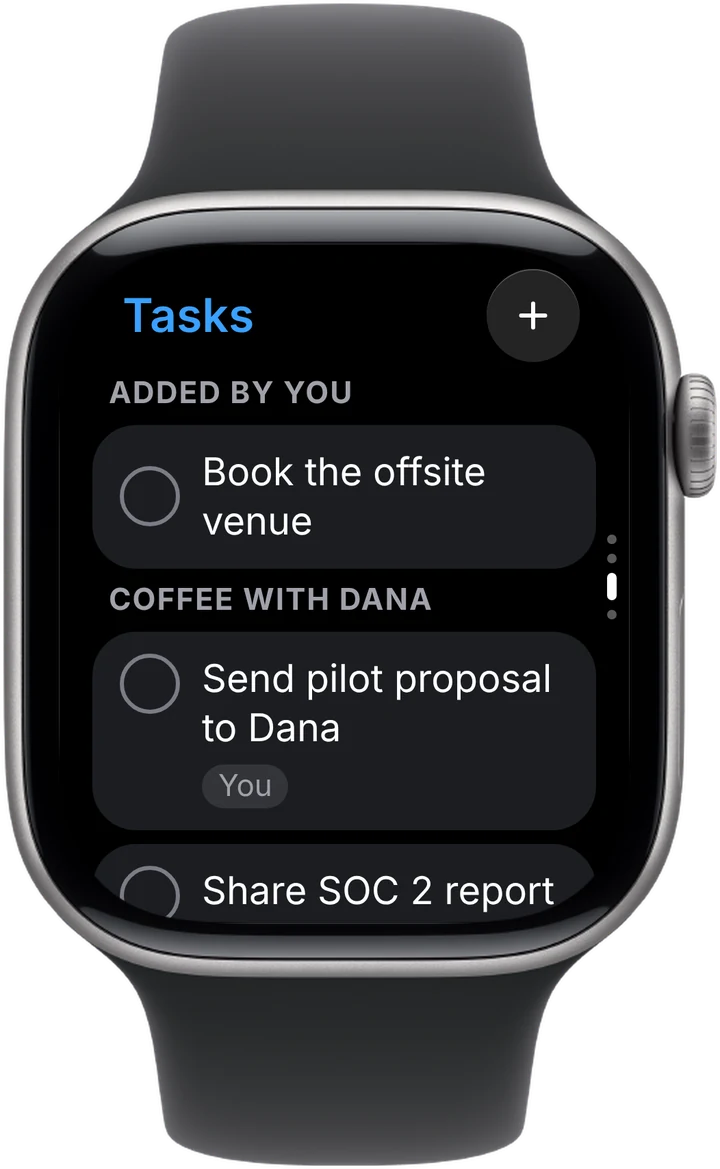
Action items from every meeting, grouped by meeting. Tap to complete one, or add a new one by voice.
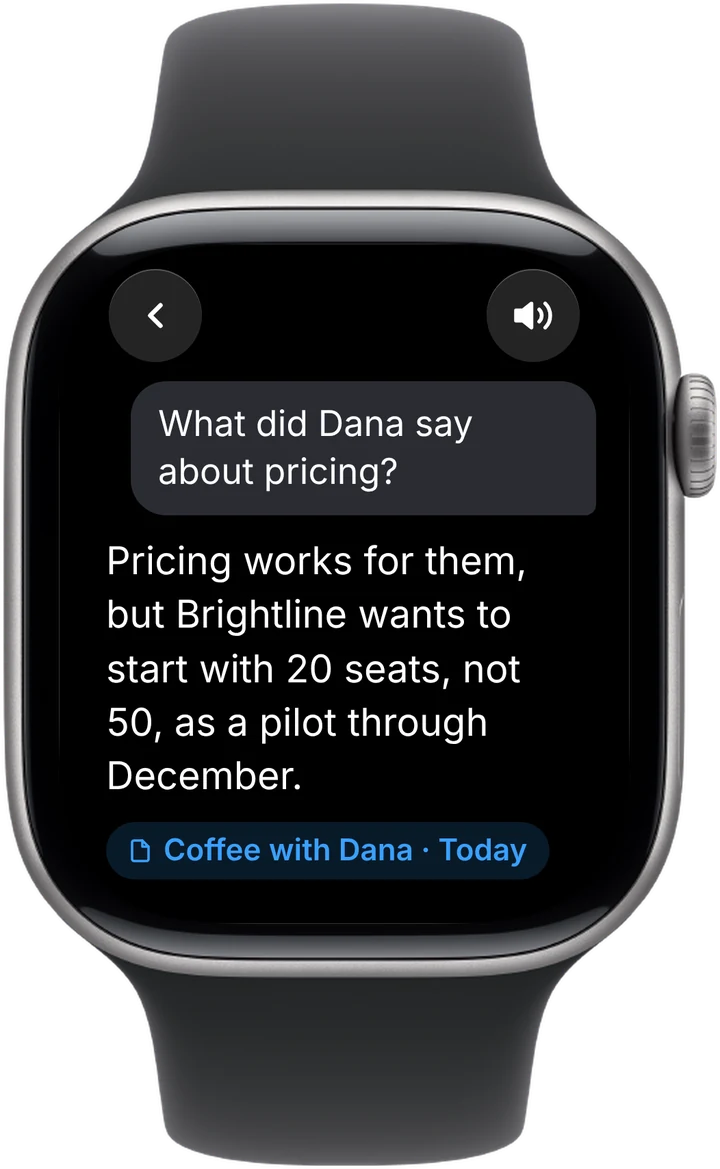
Ask across all your notes and get a short answer to read, or have it read aloud. Included with Premium.
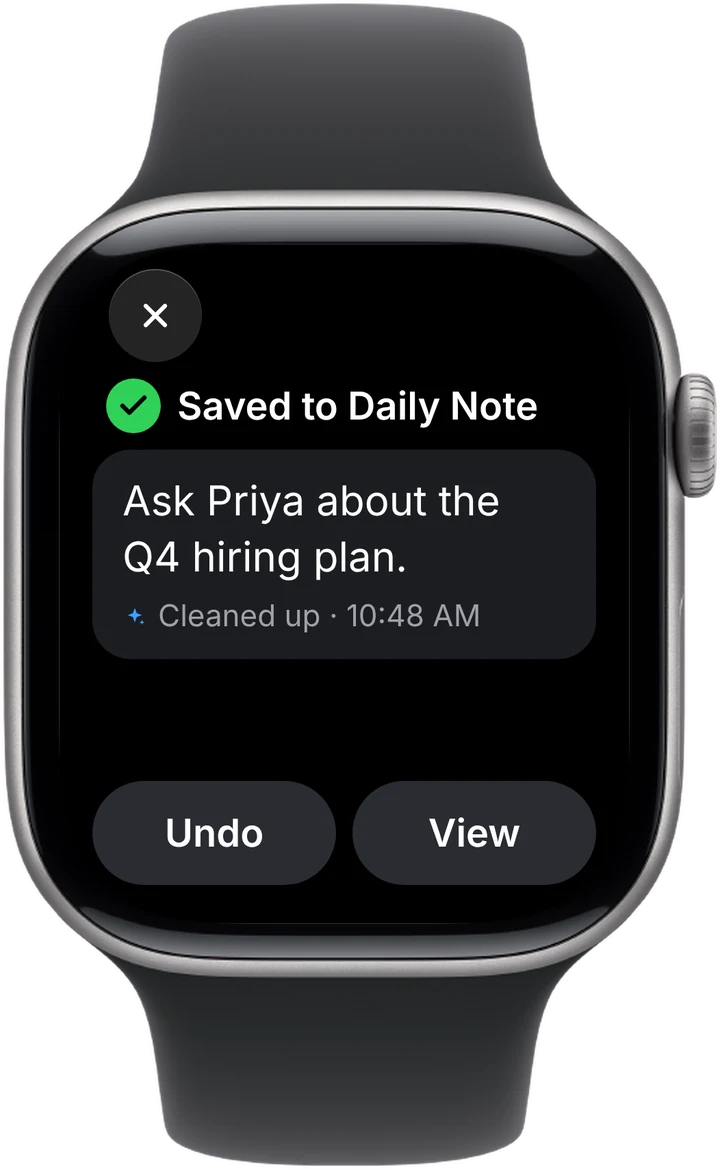
Tap the pencil and speak. Laxis tidies it up and saves it to today's Daily Note — even when you're offline.
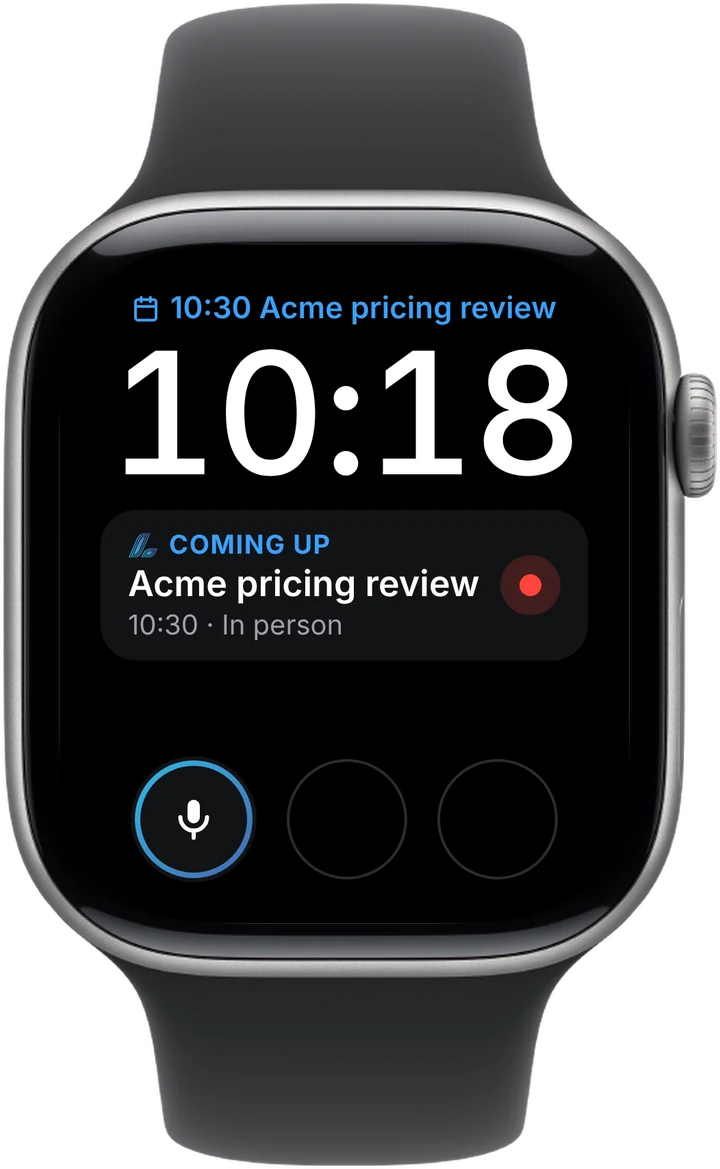
Add Laxis to your watch face for one-tap recording and a glance at what's coming up next.
Scroll your notes with a one-line summary for each, and see new recordings go from uploading to ready.
Action items from every meeting, grouped by meeting. Tap to complete one, or add a new one by voice.
Ask across all your notes and get a short answer to read, or have it read aloud. Included with Premium.
Tap the pencil and speak. Laxis tidies it up and saves it to today's Daily Note — even when you're offline.
Add Laxis to your watch face for one-tap recording and a glance at what's coming up next.
Recordings from Apple Watch land in the same Laxis workspace as your online meetings — on iPhone, Mac, Windows and the web. Search them, share them, or ask LaxisChat about them.


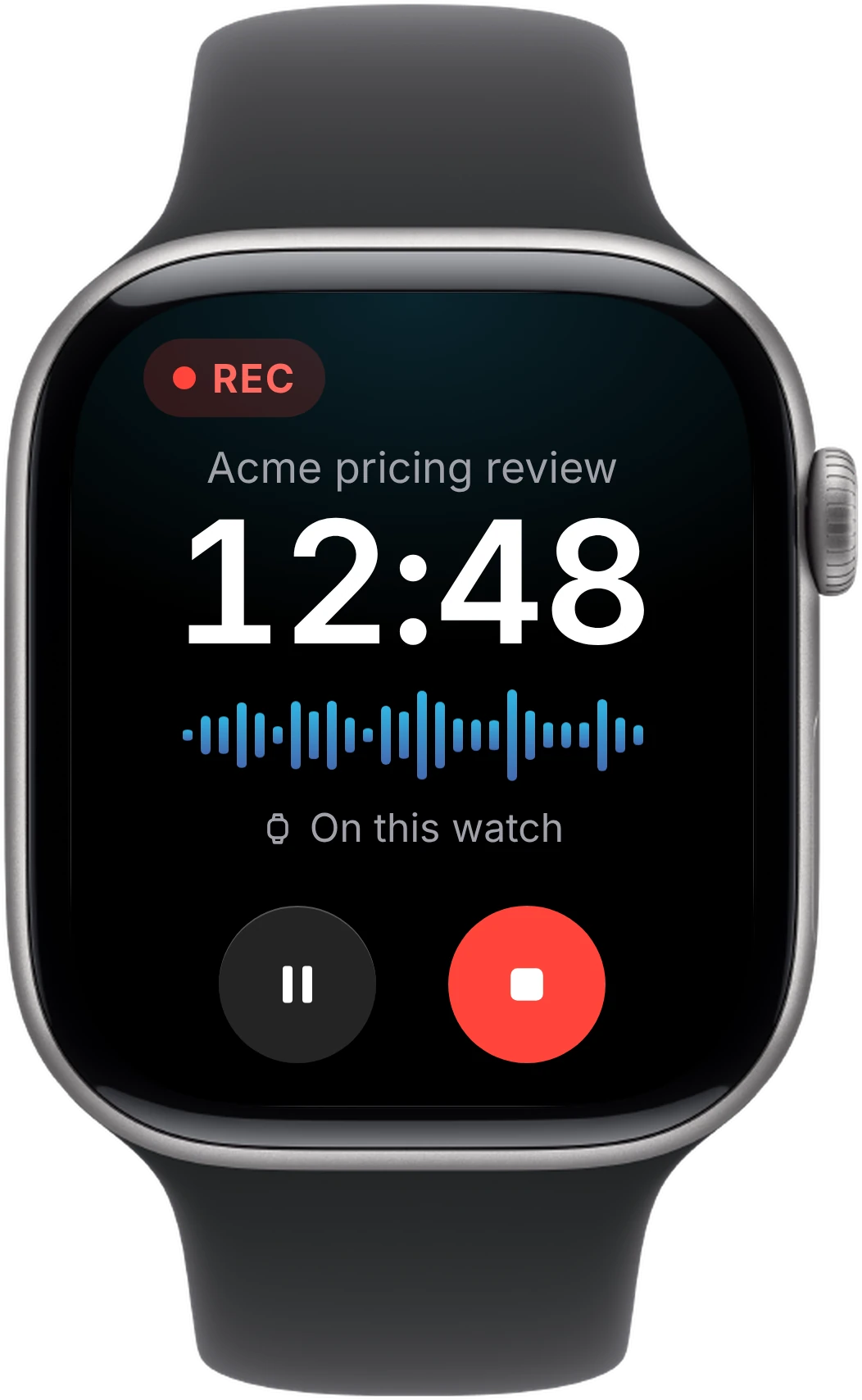
Yes. With Laxis installed, Apple Watch records with its built-in microphone — tap once to start. Laxis then transcribes the recording and creates a summary and action items in your Laxis account.
Get Laxis from the App Store on iPhone, sign in, and add it to Apple Watch from the Watch app. Open Laxis on the watch and tap the record button, or tap your next meeting. Tap stop when you're done, and the transcript, summary and action items appear in Laxis on your wrist, iPhone and desktop.
No. The recording is saved on the watch and uploads through your iPhone when it's nearby, or over Wi-Fi or cellular when it isn't. You need the Laxis app on iPhone to sign in the first time.
Up to 45 minutes per recording on the free Basic plan, 2 hours on Premium and 4 hours on Business. The watch taps your wrist when 10 and 5 minutes are left, and saves automatically at the limit.
Recordings made on Apple Watch are transcribed as soon as they upload, and you get a notification when the notes are ready. When you record on iPhone, the watch shows the live transcript as you talk.
Laxis requires watchOS 10 or later. Starting a recording with Double Tap works on Apple Watch Series 9 or later and Apple Watch Ultra 2 or later, with watchOS 11 or later.
Yes. Laxis for Apple Watch comes with the free Laxis app for iPhone, and the free Basic plan includes 300 minutes a month. Ask Laxis on the watch is part of Premium.
A voice memo gives you audio. Laxis gives you the meeting: a transcript with speakers, a summary, action items, and answers to questions across all of your conversations.
Free on the App Store. Get Laxis on iPhone, then add it to Apple Watch from the Watch app. Requires watchOS 10 or later.