Otter.ai Review 2026: Pricing, Pros, Cons & the Laxis Alternative

Otter.ai is the AI note taker most people try first. It has turned speech into searchable text since 2016, says it has passed 35 million users, and for many professionals "the thing that takes notes in my meetings" simply means Otter. That reputation was earned.
The tension worth understanding isn't Otter against its rivals. It's Otter against its own defaults. Out of the box, Otter assumes everyone speaks the single language you picked in settings beforehand, and that its Notetaker is welcome once your calendar is connected. On an English-language team call, both assumptions hold and Otter is very good. On a bilingual client call, or in a room where an extra attendee changes the mood, those defaults are what send teams looking elsewhere.
Every Otter price, limit and policy below was checked against Otter's own pricing page and help center on 1 October 2026.
The short verdict
Choose Laxis if your calls cross languages (Laxis transcribes 100+, Otter six), you want capture that stays bot-free unless you switch a bot on, or you'd like a voice keyboard included in the same plan.
Try Laxis free — 14-day Premium trial, no credit card. See the full Laxis vs Otter comparison
What Otter.ai is in 2026
Otter started as a transcription app and now calls itself a meeting agent. The center is still the Otter Notetaker, known as OtterPilot until recently. Connect a Google or Microsoft calendar and it joins your Zoom, Google Meet and Teams calls, writes a live transcript, and delivers a summary with action items you can question in AI Chat.
Recent releases added a voice-activated Meeting Agent that answers questions mid-call, a Sales Agent that coaches reps live, an SDR Agent that runs product demos for website visitors on its own, a Mac and Windows desktop app that records without the Notetaker, and an MCP server, even on the free plan, that lets assistants such as Claude query your archive. Mobile apps cover in-person meetings and phone calls. Otter says it crossed $100 million in annual recurring revenue in 2025 and has processed over a billion meetings, and that scale shows in a deep help center and a long integration list.
Is Otter.ai free? What the Basic plan really includes
Yes. Otter's free tier, called Basic, never expires and includes the Notetaker, live transcription, speaker identification, the mobile apps and a taste of AI Chat. The headline allowance is 300 minutes a month; the limits that shape your experience sit elsewhere.
| Basic plan limit | What it means day to day |
|---|---|
| 300 minutes a month | About five hour-long meetings; deleted conversations still count. |
| 30 minutes per conversation | Recording continues, but only the first half hour of transcript is visible until you upgrade. |
| 25 most recent conversations | Older ones are archived, not deleted; paying brings them back. |
| 3 file imports per account | Lifetime, not monthly. |
| 20 AI Chat questions a month | No more than three per conversation. |
| 5 custom vocabulary terms | A few names, not a product catalogue. |
Source: Otter help center, Basic plan limits, and otter.ai/pricing, both checked 1 October 2026.
The 30-minute ceiling is the one people learn the hard way. Client calls routinely run past half an hour, and the final stretch, where someone recaps and hands out follow-ups, is the part a free user can't read.
The Laxis free plan also grants 300 minutes a month. Note that meetings and Voice Keyboard dictation share that pool, so heavy dictation eats into meeting time.
Otter.ai pricing in 2026: the plans and the fine print
| Plan | Monthly | Billed annually | Transcription | Per-meeting cap | What stands out |
|---|---|---|---|---|---|
| Basic | $0 | $0 | 300 min/month | 30 min | Notetaker, live transcript, mobile apps, MCP server |
| Pro | $16.99/user | $8.33/user/mo | 1,200 min/month | 90 min | Unlimited history, 10 imports a month, CRM sync for one user |
| Business | $30/user | $19.99/user/mo | Unlimited meetings | 4 hours | 6,000 import minutes a month, three concurrent meetings, CRM sync for five users |
| Enterprise | Custom | Custom | Unlimited | 4 hours | SSO and SCIM (100-user minimum), Otter Sales Notetaker, API and webhooks |
Source: otter.ai/pricing, checked 1 October 2026.
Three details decide what Otter really costs a team. The annual discount is steep, with Pro roughly halving. Seat ceilings are low: Pro tops out at five billed users and Business at 25, so growing teams reach an Enterprise conversation early. And CRM sync is rationed by person: one user on Pro, five on Business, unrestricted only on Enterprise.
Against Laxis Premium ($15.99 a month, or $9.99 billed yearly), Otter Pro buys you 1,200 minutes and 90-minute meetings where Premium includes 2,000 minutes, two-hour recordings and live translation. Both team tiers land at $19.99 per user per month, billed yearly.
What Otter does genuinely well
English transcription you rarely need to fix. Otter has refined commercial English speech recognition for about a decade, and on a clear call with two or three voices the transcript typically needs little cleanup. Speaker labels, word-by-word highlighted playback and larger custom vocabularies on paid plans make any passage quick to verify.
A live transcript everyone can follow. On every plan, the transcript builds as people talk, which helps late joiners and second-language colleagues.
Mobile apps that pull their weight. The iOS and Android apps record in-person meetings, classes and phone calls, which many meeting-first rivals treat as an afterthought.
Enterprise readiness. SOC 2 Type II, SSO, SCIM and custom retention on Enterprise.
A bot-free path now exists. Botless recording in the desktop app captures meeting audio from your own machine, headphones on, with no Notetaker in the participant list. Reviews claiming Otter can't record without a bot are out of date.
The language you choose before the meeting begins
This is the limitation that most often ends an Otter subscription for international teams. Otter transcribes six languages: English, Spanish, French, German, Japanese and Mandarin Chinese (simplified characters), with German and Chinese still labelled beta. That's more than older reviews credit. The bigger constraint is how selection works, which Otter's help center spells out:
- You pick one transcription language in settings, before the meeting or recording starts.
- Each conversation is transcribed in that language. French with English is the one supported mix: set French and Otter switches to English when it hears it.
- Changing the setting mid-meeting doesn't affect the recording under way.
- A conversation captured in the wrong language can't be reprocessed. The workaround is exporting the audio, switching the setting and re-importing, which on the free plan spends one of three lifetime imports.
- The interface stays in English regardless.
Put plainly, there's no automatic language detection outside that French and English pairing. A Spanish and English sales call is transcribed in whichever language someone remembered to select; a Portuguese or Hindi standup isn't supported at all. Otter can translate a finished transcript through AI Chat, which helps afterwards but isn't reading along in your own language while the other side talks.
If your calendar regularly runs in more than one language, try Laxis free for 14 days: it transcribes 100+ languages, and Premium adds live translation while the meeting is still happening.
How the Notetaker joins your calls, and why consent comes up
Once a calendar is connected, the Notetaker follows your auto-join rule: every event with a Zoom, Meet or Teams link, only meetings you host, only external or internal meetings, or only meetings you pick by hand. It appears in the participant list as a named attendee, records, and shares notes per your settings.
That's convenient, with a social cost: a calendar-connected notetaker arrives because of your invite, not because the room agreed. Otter's help center reminds desktop users that they are responsible for notifying participants and obtaining any consent the law requires.
That's the context for the lawsuit other reviews mention. In August 2025, California resident Justin Brewer filed a proposed class action against Otter in the U.S. District Court for the Northern District of California, alleging that the Notetaker recorded meetings without every participant's consent and that recordings were used to train Otter's AI, as NPR reported at the time. It was later combined with similar suits as In re Otter.AI Privacy Litigation. On 13 August 2026, Judge Eumi K. Lee granted Otter's motion to dismiss in part and denied it in part. Claims under the federal Electronic Communications Privacy Act, California's Invasion of Privacy Act and Illinois's Biometric Information Privacy Act, which covers voiceprints, may continue; several others were dismissed, some with permission to refile. The ruling concerns whether the complaint was adequately pleaded. The allegations remain unproven.
Whatever the court decides, the practical lesson applies to every AI note taker: say when a conversation is being recorded, and know the consent rules where your participants are. Our guide on how to record a phone call legally covers one-party and all-party consent states.
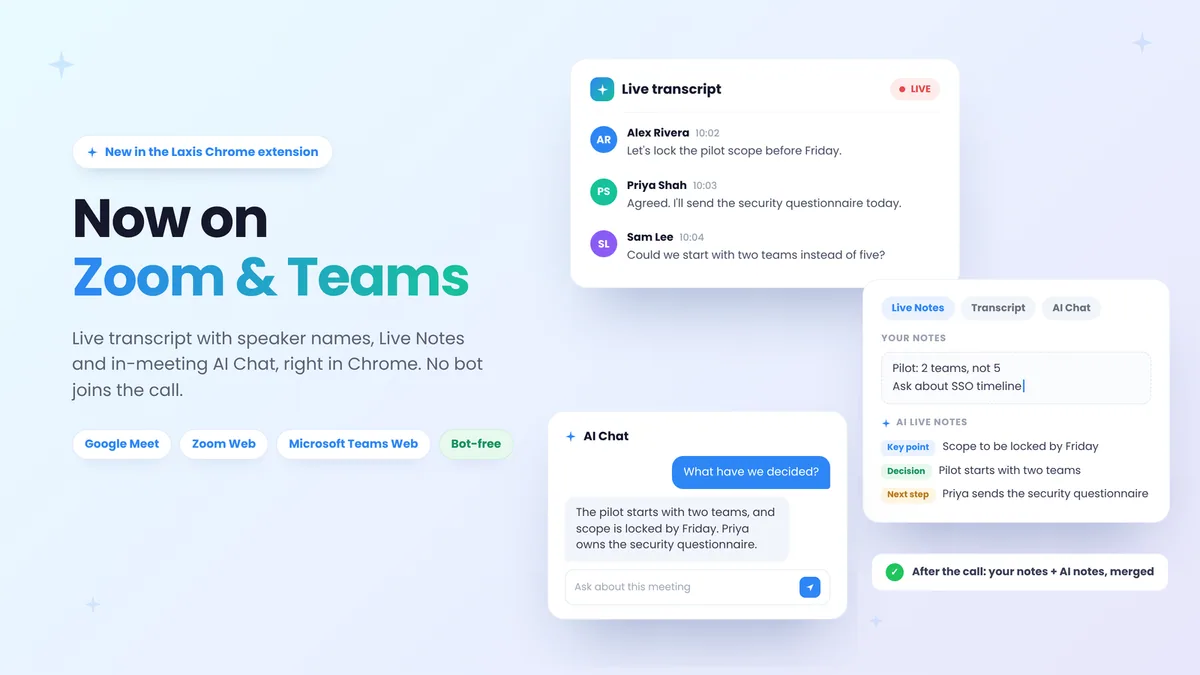
Laxis captures differently, but it isn't a loophole. It records meeting audio from your own device, so nothing joins the call unless you switch on the optional AI Assistant Bot. No bot tile announces the recording, so telling people is your job. Otter's botless desktop mode works the same way; the difference is which mode each product is built around.
Laxis vs Otter.ai, scored on what decides it
| What you're deciding | Laxis | Otter.ai | Edge |
|---|---|---|---|
| Free plan | 300 min/month shared with dictation; 45-min cap per recording; 30 days visible | 300 min/month; 30-min cap per conversation; 25 most recent conversations visible | Laxis, narrowly |
| Entry paid plan | Premium: $15.99/mo or $9.99/mo annually; 2,000 min; 2 hours per recording | Pro: $16.99/mo or $8.33/mo annually; 1,200 min; 90 min per meeting | Laxis, on capacity |
| Team plan | Business: $29.99/mo or $19.99/mo annually; unlimited; 4 hours; HubSpot and Salesforce automation | Business: $30/mo or $19.99/mo annually; unlimited; 4 hours; CRM sync for up to 5 users | Even |
| Languages | 100+ | 6 (2 in beta); one per conversation, set in advance | Laxis |
| Live translation | Included on Premium | Not offered; finished transcripts can be translated in AI Chat | Laxis |
| Default capture | Bot-free from device audio; optional bot with calendar auto-join | Calendar-connected Notetaker; botless recording in the desktop app | Laxis on defaults |
| Dictation into any app | Voice Keyboard on Mac, Windows, iPhone and Android, on every plan | Not offered | Laxis |
Otter: otter.ai/pricing and help.otter.ai, checked 1 October 2026. Laxis: laxis.com/pricing, 28 September 2026.
Where Otter falls short, and what Laxis does instead
Languages are chosen in advance, from a list of six
Laxis transcribes 100+ languages, and Premium adds live translation so each person can follow along in their own. Test it on your own recordings during the 14-day trial.
The free plan hides everything after minute 30
The Laxis free plan runs to 45 minutes per recording and keeps 30 days of notes in view; older notes are archived, not deleted. An hour-long call still needs a paid plan on either product, and both free tiers stop at 300 minutes a month.
The Notetaker is the path of least resistance
Laxis starts bot-free and makes the bot opt-in. Otter's desktop app narrows this gap, so it matters most for teams living in Otter's web app or Chrome extension, where adding the Notetaker is the standard flow.
There's no dictation
Otter's speech-to-text lives inside Otter. Laxis bundles the Voice Keyboard: press a hotkey, speak, and cleaned-up text lands wherever your cursor is, from Slack to a CRM field, on Mac, Windows, iPhone and Android.
Switching from Otter to Laxis
If you've decided to leave Otter, the move fits into an afternoon:
- Export first. Basic exports TXT transcripts and MP3 audio; Pro adds PDF, DOCX and SRT; Business adds bulk export. Do it before downgrading, because Basic only shows your 25 most recent conversations.
- Bring past recordings into Laxis. Laxis accepts audio and video uploads, so exported MP3s can be transcribed and summarized again.
- Stop the Notetaker. In Otter's Account Settings under Meetings, set auto-join to meetings you select manually, or disconnect your calendar under Apps, so two tools never capture the same call.
- Set up Laxis bot-free. Install the desktop app for Zoom, Meet, Teams and Webex, and the mobile app or OSO AI Earbuds for phone calls and in-person meetings. Turn on the AI Assistant Bot only if you want calendar auto-join.
- Use the trial on real work. The two-week Premium trial asks for no card; when it ends, your account moves to the free plan with its notes intact.
What you keep: the transcripts and audio you exported, plus whatever Laxis generates from them. What you leave behind: Otter channels and share links if you close the account, and AI Chat over your old archive. For every feature side by side, see the full Laxis vs Otter comparison.
If Otter isn't the right fit
The right alternative depends on the limit you've hit. For multilingual teams, people who want nothing joining the call by default, and anyone who writes as much as they meet, try Laxis first; the Laxis AI meeting assistant page shows how capture and summaries fit together. If cost is the push, our comparison of free AI note takers shows what each free plan really includes; Zoom-heavy teams should see our picks of AI note takers for Zoom; and our 2026 ranking of AI note takers scores Otter against the full field.
The verdict
Laxis is the pick if your meetings don't fit Otter's defaults. Several languages on one call, rooms where nothing should join uninvited, a day split between talking and writing: Laxis covers all of it with 100+ languages, live translation on Premium, bot-free capture by default and a Voice Keyboard in the same plan, and the 14-day Premium trial costs nothing to run on your own calendar.
Otter.ai remains a capable default for English-only teams. Accurate transcripts, solid mobile apps and fair annual pricing. Its weaknesses are defaults, not quality: a free plan that stops showing the transcript at 30 minutes, a language chosen from six before the meeting, and a Notetaker that joins on your calendar's say-so.
Put your next multilingual meeting through Laxis
Bot-free capture by default, 100+ languages, and a Voice Keyboard for everything you write afterwards.
Download Laxis free — 14-day Premium trial, no credit card.
Frequently asked questions
Is Otter.ai free?
Yes, Otter.ai has a free Basic plan that never expires. It includes 300 transcription minutes a month, but each conversation shows only its first 30 minutes of transcript, only your 25 most recent conversations stay accessible, and you get three file imports per account in total.
How much does Otter.ai cost in 2026?
Otter.ai Pro costs $16.99 per user per month, or $8.33 a month billed annually, with 1,200 minutes and a 90-minute cap per meeting. Business costs $30 per user monthly or $19.99 annually, with unlimited meetings of up to four hours each. Enterprise pricing is custom and adds SSO, the Otter Sales Notetaker and an optional HIPAA package.
Is Otter.ai safe to use?
Otter.ai uses mainstream enterprise security, including SOC 2 Type II certification and TLS and AES-256 encryption. The live question is consent rather than breaches: a 2025 class action alleges its Notetaker recorded people without everyone agreeing, and in August 2026 a judge let core claims proceed. The allegations are unproven. With any tool, tell participants you are recording.
How many languages does Otter.ai support?
Otter.ai transcribes six languages: English, Spanish, French, German, Japanese and Mandarin Chinese, with German and Chinese still in beta. You select one language in settings before a meeting and the whole conversation is transcribed in it; French and English is the one mix it handles. Finished transcripts can be translated into other languages afterwards through Otter AI Chat.
What is the best alternative to Otter.ai?
Laxis is the best Otter.ai alternative for teams whose meetings run in more than one language, who want bot-free capture by default, or who want dictation in the same plan: 100+ languages, live translation on Premium, a Voice Keyboard on Mac, Windows, iPhone and Android, and a 14-day Premium trial with no credit card. Export your Otter transcripts first, then upload the recordings you still need.
Is Laxis better than Otter?
Laxis is better than Otter for teams that meet in several languages, want nothing joining the call unless they switch a bot on, or want a voice keyboard and CRM automation bundled in. Otter remains a familiar choice for English-only teams that have used it for years.