Dictation Software for Writers: Write a Book by Voice
Read the forum threads where authors explain why they gave up dictating a book, and the complaint is rarely that the software couldn't understand them. It understood them perfectly. The draft came back as a faithful record of someone thinking out loud: the false starts, the "so anyway," the sentence that restarts three times. Editing it ate every minute the speaking had saved. That's the real problem dictation software for writers has to solve, and it's mostly solved by workflow rather than by buying a better app.
This guide is about how to write a book by voice in practice: what to prepare before you talk, how to run sessions at a desk or on a walk, what to do about dialogue and invented names, and how to edit a spoken draft until it stops sounding spoken.
Why a spoken draft reads like a transcript
Speech and writing are different tools. Speaking is linear and forgiving: you repeat yourself for emphasis, circle back, and let your tone carry meaning the words alone don't. Writing is revised, compressed and silent. When you dictate, you get the first kind of text while wanting the second, and the difference lands on the page.
It isn't all cost. Dialogue often comes out more natural when you say it, because you're hearing the characters rather than assembling them. Some nonfiction writers find that the voice they'd use explaining something across a table reads warmer than their typed register, which can drift toward the stiff and formal. Those are real gains, and they're worth protecting in the edit.
The speed argument is real, but narrower than it sounds. A 2016 study by researchers at Stanford, the University of Washington and Baidu clocked English voice entry at about triple the pace of thumb-typing on a phone keyboard. Participants, though, were entering short phrases they'd been handed, not inventing sentences. It measures how fast words go in, not how fast you decide what they should be.
In a novel, deciding is the slow part. What happens in this scene, who knows what, why she lies. Sit down to dictate without knowing that and you'll produce a great many words about not knowing it. Which is why writers who stick with dictation so often end up doing the same thing before they press the button.
Outline first, then talk
You don't need a thirty-page plan. You need enough on the page that you're never searching for what comes next while the microphone is live. For fiction that's usually a scene card: a few lines on who's in the scene, what they want, what changes and how it ends. For nonfiction it's the claim each section makes and the two or three points that hold it up.
A scene card you can dictate from
Who: Mara and her brother Tom. Want: she needs the letter before he reads it. Turn: he's already read it. Exit: she lies about what it means, and he lets her.
Four lines, thirty seconds to write. Read it aloud once, then start talking. When you drift, glance back at the card, not at the draft.
Some writers dictate the outline too, pacing the room and talking through the plot before boiling it down to cards. That works well, because an outline is the one document where rambling is allowed. Just keep the two stages apart: talk loosely to find the story, then talk to the cards to write it.
For nonfiction there's a useful variant: get interviewed. Ask a friend to put the questions a reader would ask, record the conversation, and mine the transcript for your draft. Most people explain better to a listener than to a microphone, and the questions expose gaps an outline hides.
It also helps to say the scene's purpose aloud at the start of each take: "This is the one where Tom finds out." You'll delete that line later, and it keeps the next ten minutes pointed in one direction.
Two ways to run a session: at the desk and on your feet
At the desk
Desk dictation means speaking straight into the manuscript. If you draft in Word or Google Docs, both have free dictation built in; our guides to dictation in Microsoft Word and Google Docs voice typing cover the setup. Scrivener users, and anyone who moves between apps, tend to use a system-wide tool that types wherever the cursor sits. Wear a headset or a clip-on mic rather than relying on the laptop's own microphone; distance from the mic hurts accuracy more than most settings do.
The complaint you'll meet in writing forums is about pauses. One MacRumors poster planning a dialogue-heavy novel said the built-in dictation they tried switched off after about half a minute of silence. Writers pause constantly, because that's where the thinking happens. If your tool punishes silence, find one with a toggle that stays open, or record instead.
One more desk trick: stop watching the words arrive. Shrink the window, dim the screen or look out of it. Seeing a misheard word pulls you straight into fixing it, and the scene you were in the middle of evaporates while you do.
On your feet
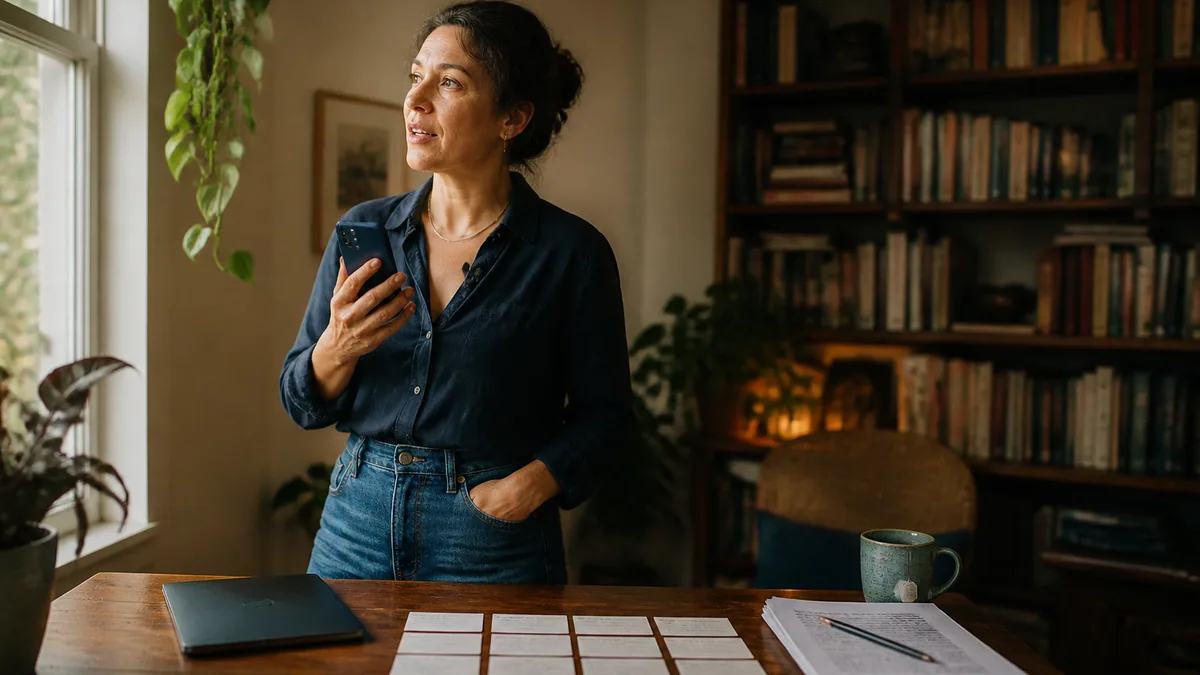
Walking and talking comes up again and again when authors compare notes. The simplest version is recording: speak a scene into your phone while you walk, then transcribe the file when you're home. Pauses cost nothing, and you aren't watching words appear, which some writers find freeing. We've laid out the steps in our guide to transcribing voice memos.
The other version is dictating straight into a notes app through a phone voice keyboard, which gives you text immediately but suffers more from traffic and wind. Laxis supports both routes: upload the recording for transcription, or dictate into any app on iPhone or Android, with both drawing on the same monthly minutes. Whichever you pick, treat walking sessions as rough drafting and save the careful work for the desk.
How long, and how often
Start with short sessions, fifteen or twenty minutes, and build from there. Your voice tires before your ideas do, and jumping straight to hours at a stretch can leave your throat sore by the end of the week. Keep water nearby and stop when you notice strain. A regular slot works better than occasional marathons, and noting where each session happened (desk, walk, kitchen table) soon shows you which conditions produce your best pages.
Dialogue, punctuation and names nobody has heard before
Dialogue is where a lot of fiction writers stall on voice. Every line needs quotation marks, a speaker and usually a paragraph break, and saying all of that aloud ("open quote, I'm not going, close quote, she said, new paragraph") turns a tense scene into a recital of punctuation.
There are two ways through. One is learning the spoken commands your tool supports, which our guide to dictation commands lists, and accepting a slower, more precise draft. The other, a common compromise, is to speak dialogue as bare lines with a quick tag ("Tom: I read it." "Mara: It's not what you think.") and add the quotation marks and beats in the second pass. It's faster to say and easy to fix.
Names are the other snag. Your protagonist, your invented town and your fantasy religion aren't in any speech model's training data. Add them to a custom dictionary before chapter one, not after the fortieth correction. In Laxis that's the Personal Dictionary, and most serious dictation tools have an equivalent. If a name still comes out wrong, a unique placeholder you can find-and-replace later beats fighting the engine mid-scene.
Watch what cleanup removes from your characters
Filler removal is a gift in narration and a hazard in dialogue. If a character says "um" or repeats herself because she's nervous, a tool that strips filler and merges repetition will quietly fix her. Flag those lines as you go (say a marker word you'll search for later) and restore the hesitations in the edit.
The second pass is where the book gets written
The rule that saves dictated drafts is simple: don't edit while you talk. Stopping to fix a word breaks the thread, and the thread is the whole point. Finish the scene, then leave it alone until at least the next day.
When you come back, read on paper or on a different screen, and read aloud. You'll hear the spoken habits your eye slides past: sentences that open with "so" or "and then," stacked qualifiers like "kind of" and "basically," the same verb three times in a paragraph, and run-ons that happened because you never paused where a full stop belonged. If reading aloud tires you, let the computer do it: text-to-speech in Word or on a Mac will read the chapter back, and a flat synthetic voice exposes padding you've stopped noticing.
A second-pass checklist
- Structure first: does the scene do what the card said it would?
- Cut the throat-clearing. The first two sentences of a take are often warm-up.
- Search for your personal tics and delete most of them.
- Split run-ons where you'd naturally breathe.
- Restore dialogue punctuation, plus any hesitations your characters should keep.
A forum complaint worth taking seriously is that dictation still leaves "the work of splicing sentences together." True, and that's the job rather than a failure. Typed drafts need the same pass; they just hide the seams better. What voice changes is the ratio: more raw material, sooner, with more editing per page.
One caution about AI polish. Some dictation tools can rewrite your words into smoother prose automatically. For email, that's handy. For fiction you want an editor, not a ghostwriter: something that removes filler and adds punctuation but leaves your sentences alone. If a tool has a rewrite mode, leave it off for manuscript work, and judge it on a page of narrative rather than a demo email.
What to look for in dictation software for writing
If you want tools and prices side by side, our dictation software comparison has them. For a book, a handful of criteria outweigh everything else on a feature grid:
- Tolerance for pauses. Long silences shouldn't end the session.
- Works in your manuscript app. Word, Google Docs, Scrivener or a plain text editor, without copying and pasting.
- Custom vocabulary that syncs between phone and computer, so names learned at the desk work on the walk.
- A light touch. Filler out and punctuation in, with your sentences intact.
- Mobile capture, by recording, a phone keyboard or both.
- A cost model that fits volume. A novel is a lot of talking, so check whether you're paying per word, per minute or a flat fee.
On cost, here's how ours works. The free Laxis plan includes 300 minutes a month, which is five hours of talking, shared between dictation and meeting transcription. Premium lifts the allowance to 2,000 minutes, and you can try Premium for 14 days before paying anything, card-free. The Laxis voice keyboard types into Word, Google Docs, Scrivener or anything else on Mac, Windows, iPhone and Android, removing filler and repetition as you go. Processing happens in the cloud, so you'll want to be online.
If you're coming from Dragon, which plenty of novelists wrote on for years, our Dragon review covers what's changed and which tools writers move to instead.
The bottom line
Typing a first draft invites you to edit as you go, which is part of why so many drafts stall in chapter three. Dictation quietly takes that option away. You can't polish a sentence you're still saying, so you keep going, and the book gets long enough to be worth fixing. That may be the real gift of writing by voice: not speed, but permission to be rough on the first pass, at length.
Frequently asked questions
Can you write a book using dictation?
Yes. Many authors draft whole novels and nonfiction books by voice, either speaking straight into the manuscript or recording on walks and transcribing later. What makes it work is preparation and editing: a short outline or scene card before each session, and a separate second pass that turns spoken sentences into written ones. Expect more editing per page than a typed draft.
What is the best way to dictate a novel?
Outline first, then dictate one scene at a time from a short card that says who is in the scene, what they want and how it ends. Do not edit while speaking. Leave the draft overnight, then revise it aloud, cutting spoken tics and restoring dialogue punctuation. The workflow matters more than which dictation app you choose.
How do you dictate dialogue and punctuation?
You can speak punctuation commands such as open quote and new paragraph, but many writers find it faster to dictate dialogue as plain lines with a speaker tag, then add quotation marks and beats while editing. Add character names to your tool's custom dictionary first, and check that filler removal is not stripping a character's deliberate hesitations.
Is dictating faster than typing for writing a book?
Dictation gets words onto the page faster, but a book is limited by thinking and editing rather than input. A 2016 study by Stanford, University of Washington and Baidu researchers found speech about three times faster than phone typing, using short pre-written phrases. For original prose, the gain depends on knowing what the scene needs before you start talking.
How do you edit a dictated draft?
Edit in a separate pass, ideally the next day, and read the draft aloud or on paper. Check the structure first, then cut warm-up sentences, spoken tics such as so and basically, and repeated verbs. Split run-on sentences where you would naturally breathe and restore dialogue punctuation. Typed drafts need the same pass; dictated ones simply show the seams more.
Can I dictate a book while walking?
Yes, and many writers prefer it. The most reliable method is recording a scene on your phone while you walk and transcribing the file afterward, since pauses cost nothing and you are not watching the text appear. A phone voice keyboard also works for shorter bursts. Treat walking sessions as rough drafting and do detailed revision at a desk.