In-Person Meeting Transcription: How to Record Rooms Well
Transcribing an in-person meeting is a microphone problem before it's a software problem. Virtual meetings hand each speaker their own clean audio stream; a room hands you one microphone, several people at varying distances, and whatever the air conditioning is doing. The engine matters far less than where you put the phone. Here's how to get a usable transcript from a room.
More Than Just a Voice Recorder
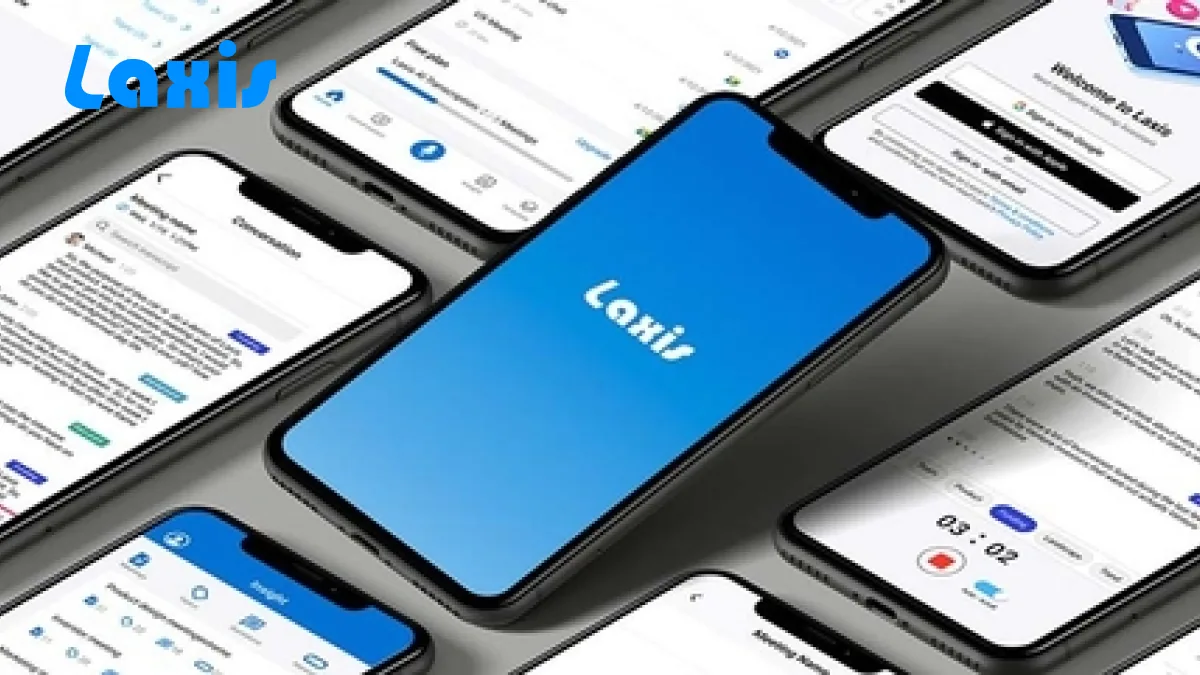
Laxis set out to create a unique and highly capable meeting assistant on your mobile phone. While Apple provides a default voice recording app, Voice Memo, Their app requires you to then transcribe what is said, and write down the key takeaways, which is a very time consuming task. This limits the utility of the recording, and does not apply any intelligence or sharing capabilities to the voice recorder.
With that, Laxis is introducing our own voice recording app! Our approach makes it easy to transcribe meetings, flag follow up items and share key takeaways with just a few clicks. You can take Laxis with you to any meeting on your schedule. And because it's from Laxis, the meetings you capture in-person will be uploaded to the Laxis cloud alongside your virtual meetings, allowing you to save, analyze and share the outcomes of all your meetings in one place.
More Than A Transcription App
There are other voice recording apps on your iPhone. We know that. But Laxis’ app goes much further. Similar to the ability to flag and tag items with one click using our desktops apps and extensions, Laxis allows you to easily highlight key information and important takeaways with a single click. You can personalize meeting templates in advance for consistency of structure and formats, and establish predefined topics and keywords to look for, which Laxis will automatically extract for you.
With other apps, you have a lot of work to do after you record the meeting. With Laxis on mobile, you get the power of the Laxis platform in an easy-to-use, portable format so you never miss the key points in a meeting.
Combines Insight from Phone, Virtual, and In-Person Meetings
After meetings, Laxis gives you the ability to search across your conversations for key insights, important verbatim quotes, or to-do items to assign. Market researchers, UX designers, consultants and others who do a lot of interviews will find Laxis -- online at laxis.tech and via the App Store -- a key tool for betting insight and faster analysis.
With one interface for managing meeting notes, you can become much more effective at running meetings, and much faster and discerning the “aha” moments that these conversations reveal.
One Source for all Meeting Notes
Laxis Mobile App is connected with Laxis cloud. Your conversations are also available on your web application where you can find more advanced features such as transcript editing and memo creation.
I invite you to download Laxis Mobile for iOS today, and sign up to take advantage of all of the features of Laxis by signing up there or at laxis.tech. Run better meetings with the power of Laxis at your fingertips!
Microphone placement decides your accuracy
The single biggest variable is distance. Speech intelligibility falls off sharply with distance from the microphone, and a phone flat on a boardroom table is often two metres from the person at the far end.
Practical rules that make more difference than any app setting:
- Centre of the table, face up, nothing on top of it. Not in a pocket, not in a bag, not beside a laptop whose fan is running.
- Hard surface, not a soft one. A notebook or cloth under the phone absorbs exactly the frequencies you need.
- Away from the projector, the vent and the coffee machine. Continuous broadband noise degrades recognition more than occasional loud sounds.
- For rooms over about six people, use two devices at opposite ends and reconcile afterwards. One microphone cannot cover a long table.
Crosstalk is the other half of the problem
In-person meetings have people talking over each other, which is where speaker separation breaks down. Transcripts from rooms typically show two speakers merged into one label, or a single speaker split across several.
Two habits fix most of it without any technology: a brief pause between speakers when a point changes hands, and stating names when handing over on longer sessions. Neither is natural, but on a meeting you actually need an accurate record of, both are worth the mild awkwardness.
Consent is not optional
Recording an in-person conversation is governed by local law, and the rules differ from virtual meetings mostly in that there's no automatic on-screen notice doing the disclosure for you. In two-party-consent jurisdictions you need everyone's agreement, not just your own. Say out loud at the start that you're recording, and note the agreement in the transcript itself so the record shows it.
Frequently Asked Questions
What is the Laxis app for iOS?
The Laxis app for iOS is a mobile meeting assistant that brings automated note-taking to in-person meetings, complementing Laxis's existing Google Meet and Zoom note-taking capabilities. It is an easy-to-use meeting recorder that transcribes conversations, lets you flag follow-up items, and helps you share key takeaways in just a few clicks, so you can capture any meeting on your schedule.
How is Laxis different from a regular voice recorder app?
Unlike a basic voice recorder such as Apple's Voice Memos, which leaves you to transcribe and summarize everything yourself, Laxis automatically transcribes your meetings and lets you highlight key information with a single click. You can set up meeting templates in advance and define topics and keywords for Laxis to extract automatically, so you have far less work to do after the meeting.
Does the Laxis iOS app sync with the Laxis web app?
Yes. The Laxis mobile app is connected to the Laxis cloud, so meetings you capture in person are uploaded alongside your virtual meetings and made available in the web application. There you can access more advanced features such as transcript editing and memo creation, keeping all your meeting notes in one place.
Who benefits most from using Laxis on mobile?
Laxis on mobile is especially useful for people who do a lot of interviews and conversations, such as market researchers, UX designers, and consultants. After meetings, you can search across your conversations for key insights, important quotes, and to-do items, making analysis faster and helping you find the "aha" moments more easily.