What Is a Transcript? Types, Formats & Examples

Someone asks you to send over the transcript, and you say sure, because obviously you know what that is. Then the file lands and there are timestamps every few seconds, names in capital letters, and a line that just says [crosstalk]. Suddenly it's less obvious.
One fork in the road first. Transcript also means the official record of the courses you took and the grades you earned at school — the document a registrar issues. If that's what you need, your institution's student records office is the place to go. This guide covers the other meaning: the written record of something spoken aloud, produced from a recording.
A transcript is a document, not an activity
A transcript is a text document that captures what was said in a recording, in the order it was said, attributed to whoever said it. That's the whole definition. Everything else — timestamps, bracketed notes, the header block, the file extension — is convention layered on top to make the document usable.
The word gets used loosely for the work as well as the output, which is where the confusion starts. Producing the document — the cost, the speed, the machine-versus-human question — is a separate subject, and we've covered the transcription process itself in a companion guide. This page is about the artifact.
Two properties separate a transcript from notes. It's linear: it follows the recording start to finish instead of jumping to the interesting parts. And it's complete for whatever style it claims. A summary picks and chooses; a transcript doesn't get to. Skip the boring five minutes where nobody could find the right slide and you have notes — calling them a transcript will eventually cause an argument.
The four transcript styles, and what each one throws away
Every transcript decides how much of real speech's messiness to keep. Four styles sit on that spectrum, and picking the wrong one is the most common way a transcription order goes sideways.
Full verbatim (also called true verbatim)
Everything. Every "um," every stutter and false start, plus non-speech sounds like laughter, long pauses, and background noise, all marked. Full verbatim captures not just what was said but how it was said. It's slow to produce and unpleasant to read, which is exactly the point where it's required: legal proceedings, police interviews, and research where hesitation is itself the data.
Clean verbatim
The words as spoken, minus the noise. Clean verbatim strips filler words, verbal tics, and stammers but doesn't paraphrase — the sentences are still the speaker's. Most houses keep meaningful false starts and self-corrections, since those signal real uncertainty, while cutting the reflexive "you know" that shows up forty times an hour. It's the default for meetings, conference sessions, focus groups, and lecture capture.
Intelligent verbatim
One step further into readability. Alongside filler removal, the transcriber lightly repairs grammar, collapses repetition, and drops asides that carry no meaning ("sorry, my dog is going nuts"). The speaker's voice stays intact; the roughness doesn't. Researchers often prefer it for interviews they'll quote. Confusingly, some vendors use "intelligent verbatim" and "clean verbatim" interchangeably.
Edited transcript
The most heavily processed version. An editor reorders clauses, tightens sentences, fixes grammar, and shapes the text for a reader who was never in the room. Published interviews, speech texts, and podcast show notes live here. The tradeoff is real: an edited transcript is the most pleasant to read and the least defensible as a record.
Tip: name the style before anyone starts work. These terms aren't standardized — one vendor's "clean verbatim" is another's "intelligent verbatim." Don't rely on the label. Send a two-line spec instead: "keep false starts, remove filler words, timestamp inaudible sections." That sentence prevents the most expensive kind of rework, which is redoing forty hours of audio because the fillers were supposed to stay in.
What a transcript actually looks like
Descriptions only get you so far. Here's a clean verbatim transcript of a short business meeting, formatted the way most professional ones are.
Sample transcript — clean verbatim
TRANSCRIPT — Q3 Pricing Review Recorded: 5 August 2026 | Duration: 00:42:11 | Speakers: 3 Style: Clean verbatim
[00:00:04] MAYA CHEN: Okay, we're recording. Dan, you had the revised margin numbers?
[00:00:09] DAN OKAFOR: I do. Enterprise is at sixty-one percent gross margin, up four points from Q2. Mid-market is where it gets ugly.
[00:00:21] MAYA CHEN: Ugly how?
[00:00:23] DAN OKAFOR: Support load. Same price, roughly triple the tickets. I think it's [inaudible 00:00:27] the onboarding.
[00:00:31] PRIYA RAO: That tracks. We shipped self-serve onboarding in June and adoption is under thirty percent.
[00:00:38] MAYA CHEN: So the fix isn't — [crosstalk] —
[00:00:39] DAN OKAFOR: — the fix is onboarding, not price.
[00:00:44] MAYA CHEN: Action item, then. Priya, can you pull adoption by cohort before Thursday?
[00:00:51] PRIYA RAO: Yep. Wednesday.
[00:00:53] [Recording paused]
Four near-universal conventions are at work there:
- A header block. Title, date, duration, speaker count, style. This turns a wall of text into a citable document six months later.
- Speaker labels. Full names in capitals, or role labels like INTERVIEWER and RESPONDENT when anonymity matters. Be consistent — half a transcript labeled "DAN" and half "D. OKAFOR" breaks every search against it.
- Timestamps. At every speaker change, as above, or at fixed intervals of 30 seconds to two minutes. More granular is noise; less makes moments hard to find.
- Square brackets for anything that isn't speech. [inaudible], [crosstalk], [laughter], [recording paused]. Serious transcripts timestamp the inaudible tag so someone can go listen and fill the gap.
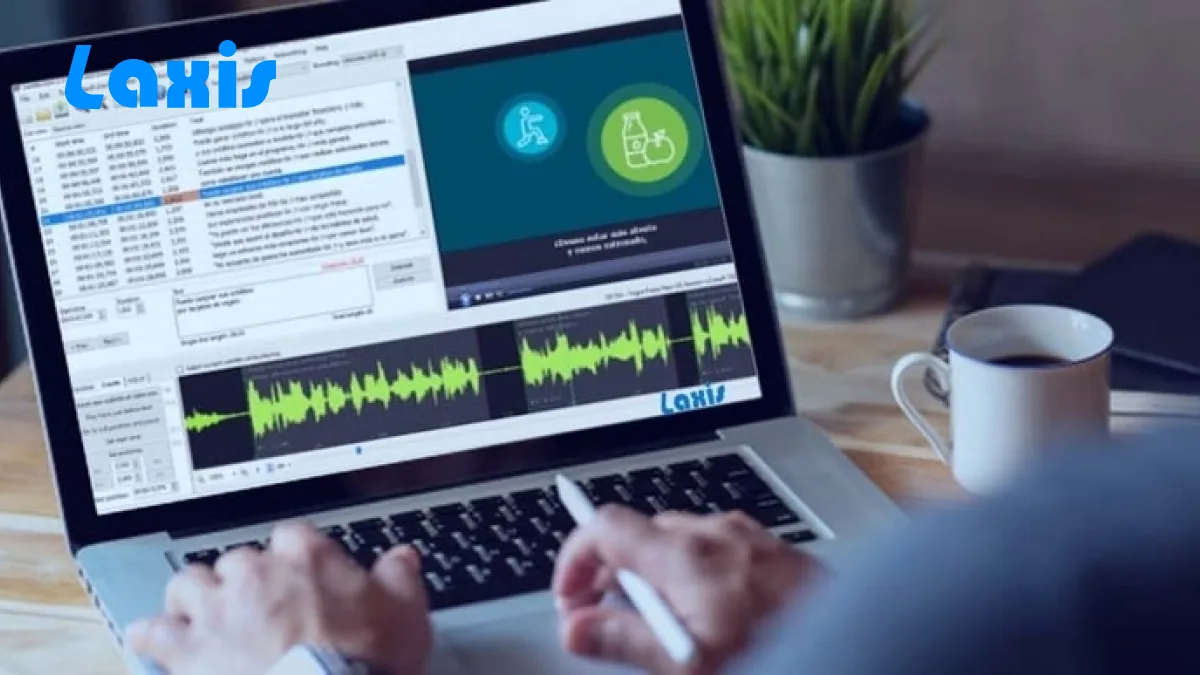
Getting all four right by hand is tedious, which is why most of it is now generated. Meeting tools produce the header, the labels, and the timestamps automatically — Laxis, for instance, transcribes Zoom, Google Meet, and Microsoft Teams calls into a labeled, timestamped document and pulls the action items out alongside it, so the task Priya just picked up doesn't depend on anyone remembering to write it down. Wherever yours comes from, the conventions above are the standard it gets measured against; our walkthrough on how to transcribe audio to text covers the mechanics.
Transcript, caption, subtitle, minutes: four different documents
These four get used as synonyms constantly and aren't interchangeable. It comes down to two questions: is the text synced to a timeline, and is it complete or selective?
A transcript is complete and standalone — you can read it with the video closed. A caption is complete but time-synced, chopped into chunks that appear as the audio plays, and it carries non-speech information because it's built for someone who can't hear. A subtitle is time-synced but selective, dialogue only, because it assumes you can hear the soundtrack and just don't speak the language. Minutes are neither: a structured summary of decisions, owners, and deadlines.
| Document | What it contains | Synced to video? | Who it's for | Typical formats |
|---|---|---|---|---|
| Transcript | Every spoken word, in order, attributed to a speaker | No — timestamps are reference points, not cues | Anyone reading, searching, quoting, or filing the record | .txt, .docx, .pdf, .json |
| Closed caption | Dialogue plus speaker IDs and non-speech sound | Yes — timed chunks, toggleable | Deaf and hard-of-hearing viewers; sound-off viewing; compliance | .srt, .vtt, .scc, .cap |
| Subtitle | Dialogue only, usually translated | Yes — timed chunks | Viewers who hear the audio but don't speak the language | .srt, .vtt, .ass |
| Meeting minutes | Attendees, decisions, action items, owners, deadlines | No | People who missed the meeting, or need the governance record | .docx, .pdf, wiki page |
These documents flow one way. You can chunk and time a transcript into captions, or summarize one into minutes. You can't reliably go back: captions were split at arbitrary line breaks and stripped of paragraph structure, and minutes threw away 95% of the words on purpose. Keep the transcript.
Closed captions versus subtitles, since everyone gets this wrong
Ask ten people what subtitles are and nine will describe captions. The difference isn't cosmetic, and in regulated contexts it separates compliant from not.
Subtitles assume you can hear. They solve a language problem, so they carry dialogue and nothing else. A door slamming off-screen needs no subtitle — you heard it.
Closed captions assume you can't hear. They solve an access problem, so they carry everything the soundtrack carries: who's speaking, what they said, and the non-speech audio that affects meaning — [ominous music swells], [glass shatters], [sighs]. That's why captions look more cluttered.
Two more terms round out the set. SDH — subtitles for the deaf and hard of hearing — is the hybrid: subtitle-style rendering carrying caption-style content, which is what streaming platforms typically ship. And "closed" just means toggleable; open captions are burned into the video and can't be switched off, which is why they dominate feeds that autoplay muted. The formats even differ mechanically: broadcast closed captions are traditionally capped near 32 characters per row while SDH files allow up to 42, which is why the same line breaks differently in two players showing the same film.
Tip: check which one your accessibility policy actually requires. Teams routinely ship translated subtitles, tick the accessibility box, and later find they never met the requirement. Deaf and hard-of-hearing access needs captions or SDH — text that identifies speakers and describes meaningful sound. An international audience needs translated subtitles. Most video libraries need both, as separate files with separate costs.
The file formats a transcript arrives in
The extension tells you what a transcript is built to do, and there are about six you'll meet.
.txt is the lowest common denominator: no formatting, no metadata, opens anywhere, feeds cleanly into scripts and search. .docx is for when a person will read, comment on, or redact — it holds styling, hanging indents, tracked changes. .pdf is the version that gets signed, certified, or filed, layout frozen. .json is the richest: word-level timestamps, per-word confidence scores, speaker IDs as structured fields. If you'll build search or analytics on your transcripts, ask for JSON.
Then the two caption formats people wrongly treat as transcript formats. .srt (SubRip) is the universal upload format — numbered blocks with a start and end time, accepted by almost every editor, player, and platform, millisecond separator a comma: 00:00:01,500. .vtt (WebVTT) is web-native, built for the HTML5 <track> element. It requires a WEBVTT line at the top, uses a period rather than a comma (00:00:01.500), makes block numbering optional, and carries things SRT can't: CSS styling, on-screen positioning, chapter markers, metadata tracks, and better handling of right-to-left languages like Arabic and Hebrew.
Neither is a good place to store a transcript. Both discard paragraph structure by design, and rebuilding readable prose out of timed chunks is a genuinely annoying job. Keep a text or JSON master; export SRT or VTT when a video needs them.
Who actually lives inside transcripts
Transcripts feel like a niche artifact until you count the professions built on them.
- Legal. The strictest users by far — depositions and trials require full verbatim records, usually line-numbered so an attorney can cite "page 43, line 12." A certified transcript carries a signed statement of accuracy and functions as evidence.
- Medical. Clinicians dictate notes, operative reports, and discharge summaries that enter the patient record. Accuracy standards are unforgiving, the vocabulary is dense, and retention rules run to years.
- Research. Qualitative work runs on transcribed interviews and focus groups. Researchers code transcripts line by line for themes, so the style choice — whether hesitations survive — shapes the findings.
- Media. Journalists transcribe interviews to quote accurately and defend the quote later. Podcasters publish transcripts because that's the only way spoken content becomes searchable — which is how transcripts quietly became an SEO asset.
- Business. The largest and messiest category: sales calls, board meetings, all-hands, compliance recording. Nobody reads these front to back; they exist to be searched, quoted, and mined for decisions. Which is why a Laxis transcript, for instance, syncs its summary and next steps into HubSpot or Salesforce — so call notes land where the deal lives, not in a document nobody opens.
And then everyone else: voice memos, lectures, family history interviews, YouTube videos you'd rather read than watch. This is where transcripts brush against dictation, though the two are different acts — dictation means composing text by speaking on purpose, and if that's what you want, our roundup of the best AI dictation apps is the better start.
Get a clean, labeled transcript of every meeting
Laxis records, transcribes, and summarizes Zoom, Google Meet, and Microsoft Teams in 100+ languages — speaker labels, timestamps, and action items included. The free plan covers 300 transcription minutes each month.
The bottom line
Transcripts age in the opposite direction from everything else you produce. A summary is useful the week you write it and worthless in a year, because it preserved what mattered to whoever wrote it that Tuesday. A transcript is nearly useless the week you make it — nobody reads 9,000 words of a meeting they attended — and gets more valuable every month after, because it kept what nobody knew would matter. Which is why the boring formatting details deserve attention. None of it is for you. It's for whoever has to find one sentence in there eighteen months from now.
Frequently asked questions
What is a transcript?
A transcript is a text document recording what was said in an audio or video recording, in the order it was said. It identifies each speaker and usually carries timestamps, so any line traces back to a moment in the source file.
What does a transcript look like?
A transcript opens with a short header giving title, date, duration, and participants, then runs as a sequence of speaker turns. Each turn starts with a timestamp and a speaker label in capitals. Anything unclear appears in square brackets, like [inaudible] or [crosstalk].
What are the main types of transcripts?
Four styles are common. Full verbatim keeps every sound, including stutters and fillers. Clean verbatim keeps the words but strips fillers and verbal tics. Intelligent verbatim also tidies grammar and drops repetition. An edited transcript is rewritten for publication. Vendors label these inconsistently, so confirm what yours means.
What is the difference between a transcript and subtitles?
A transcript is a standalone document you read on its own, with no video required. Subtitles are short lines of dialogue cut into timed chunks and shown over a video, usually translated for viewers who can hear the audio but do not speak the language.
Is a transcript the same thing as meeting minutes?
No. A transcript records everything said, word for word, in sequence. Minutes are a short structured summary of what was decided: attendees, decisions, owners, and deadlines. One hour of meeting can yield a 9,000-word transcript and a one-page set of minutes, both correct.
What file format should a transcript be in?
Use .docx or .pdf when a person will read, mark up, or file the document. Use .txt or .json when software will process it. Use .srt or .vtt only when the text must sync with video as captions. Keep a plain-text master and export the rest.
Does transcript also mean a school record?
Yes. In education, an academic transcript is the official record of the courses a student took and the grades they earned, issued by a school or university registrar. It shares the word but nothing else with the audio sense. Request one from the registrar.
Related Product
Laxis Meeting Assistant
Automate your notes today.
- Bot-free notes for Zoom, Google Meet, Teams and in-person meetings
- AI summaries, action items and follow-ups in 100+ languages
- Mac, Windows, iPhone and Android, with a free plan
Start for free, no credit card required.
Learn More ▷