What Is Dictation? Meaning, Definition & How It Works
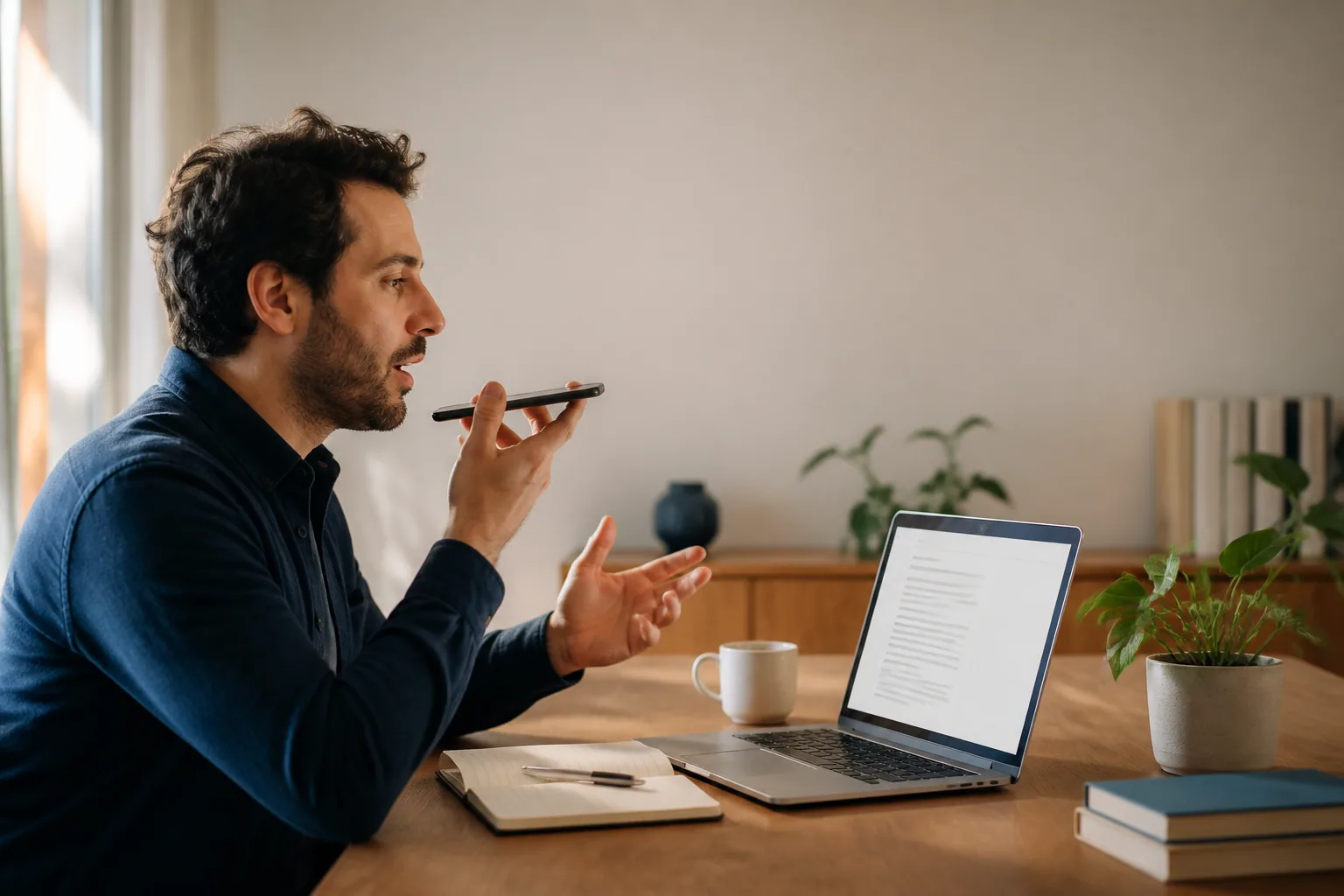
You've been staring at the same email for four minutes. You know exactly what you want to say — you could say it out loud right now, in one breath, and it would be fine. But your hands are stuck somewhere between "Hi Sarah," and the part where you explain why the deadline moved.
That gap — between the sentence you can say and the sentence you can type — is the whole reason dictation exists. So: what is dictation? At its plainest, it's speaking words aloud so that they get written down. That's it. The words come out of your mouth and end up as text, and the thing doing the writing is either a person or a piece of software. Everything else is detail.
The dictation meaning most people are actually looking for
Here's where it gets confusing, because "dictation" is one word doing two jobs.
The first is the classroom one. If you learned a second language, you probably sat through a dictée: the teacher reads a passage aloud, slowly, and you write down what you hear. That's dictation as a listening-and-spelling exercise, a staple of language teaching for well over a century. The reader dictates; the learner holds the pen.
The second — the one that brings most people to Google — is the productivity one. A doctor speaks patient notes into a recorder. An executive dictates a letter. You hold a key on your laptop, say a sentence, and watch it land in Slack. Here the dictation definition flips: the speaker is the author, and the listener, human or machine, is the scribe.
Same core idea — speech becomes writing — pointing in opposite directions. One is about the person receiving the words; the other, the person producing them. When someone asks about dictation software, they always mean the second.
Wax cylinders, tape recorders, and the long road to your phone
Dictation as a business practice is older than the computer by a comfortable margin, and before machines it ran on people: stenographers trained in shorthand could capture speech at conversational speed. Court reporters still do.
Then came the machines. Edison's 1877 phonograph was the first device that could record and replay sound, and he pitched business dictation as a main use — compose a letter without a shorthand assistant in the room. Bell's Volta Laboratory built a purpose-made dictation machine in 1881 using wax-coated cylinders. The Columbia Phonograph Company introduced the Dictaphone around 1907, and by 1909 it had index markers so a typist could find their place. Lawyers dictated briefs into it; doctors dictated patient notes. That loop — speak now, someone types later — ran the professional world for most of the twentieth century, through wax to magnetic wire to cassette tape.
Machines that could actually understand speech took much longer. IBM's Shoebox, demonstrated in the early 1960s, recognized sixteen spoken words and the digits zero through nine. By the 1970s, DARPA-funded research had pushed vocabularies into the low thousands. But the systems were still discrete: you. had. to. pause. between. every. word.
The break came in June 1997, when Dragon Systems shipped Dragon NaturallySpeaking — the first continuous-dictation product for ordinary PC users. You could finally talk normally. It handled roughly 100 words a minute against a vocabulary of about 23,000 words, and it wanted you to train it on your voice first. For anyone with an RSI diagnosis or a mountain of clinical notes, that setup was worth every minute. For everyone else, it stayed a curiosity.
What changed recently isn't that speech recognition got invented. It's that it got good enough to stop thinking about.
Tip: dictate in beats, not paragraphs.
The most common beginner mistake is trying to speak a whole paragraph in one take, then giving up when it comes out tangled. Speak one complete thought, pause, look at what appeared, speak the next. You'll get cleaner text and you'll stop losing your place. Dictation rewards the rhythm of talking to a colleague, not the rhythm of reading a script.
What happens between your mouth and the screen
Modern AI dictation is two systems stacked on top of each other, and the split explains almost everything about why it feels different from the old stuff.
Stage one: speech recognition. Your microphone captures audio. The software slices it into tiny overlapping frames, turns each into a numerical representation of the sound, and feeds the sequence into a neural network trained on enormous amounts of transcribed speech. The model doesn't match sounds to a dictionary one at a time — it predicts the most likely sequence of words given everything it heard. Which is why context helps: it knows "recognize speech" is far more probable than "wreck a nice beach."
Stage two: language model cleanup. This is the new part. Raw recognition output is faithful — including the "um," the false start, the sentence you abandoned halfway through. A language model rewrites it into finished prose: filler removed, punctuation inserted, the dead clause dropped. You say "so um yeah I think we should — actually, let's push the launch to Tuesday because QA isn't done." You get: "Let's push the launch to Tuesday because QA isn't done."
That second stage is the whole category shift. Old dictation typed what you literally said. Modern AI dictation — the Laxis Voice Keyboard works this way, as do rivals like Wispr Flow and Superwhisper — turns messy speech into text you'd actually be willing to send. Transcript versus draft.
Two other things separate good tools from mediocre ones. The first is a custom dictionary: a place to tell the system that your colleague is spelled Siobhan, your product is called Kubeflow, and "ARR" is not "A.R.R." Every dictation tool mangles proper nouns on first contact; the ones that let you fix it permanently save you real grief. The second is where it runs. A tool that only works inside one app is a feature. One that works as a keyboard layer everywhere — email, Slack, your CRM, a Google Doc, your phone — is a habit.
Dictation, transcription, voice typing, speech-to-text: not the same thing
These terms get used interchangeably and they shouldn't be. The distinction matters when you're choosing a tool — buying transcription software when you needed dictation software is a genuinely frustrating way to spend an afternoon.
| Dictation | Transcription | Voice typing | |
|---|---|---|---|
| When it happens | Live, as you speak | After the fact, from recorded audio | Live, as you speak |
| Who's speaking | You, deliberately composing | Anyone — often several people at once | You, deliberately composing |
| What you get | Finished text (AI tools clean up filler and punctuation) | A faithful record, usually with speaker labels and timestamps | Literally what you said, filler included |
| Typical use | Emails, notes, drafts, patient or case notes | Meetings, interviews, podcasts, legal proceedings | Quick input on a phone or in Google Docs |
| Punctuation | Automatic in modern tools | Added by the transcription engine | Often spoken aloud ("comma", "period") |
And speech-to-text? That's not a fourth category — it's the engine under the hood of all three. It's the technical name for the process of converting audio into words. Dictation, transcription, and voice typing are three products built on the same underlying capability, pointed at different jobs.
The short version: transcription captures a conversation that already happened. Dictation creates a document that doesn't exist yet. Voice typing is dictation without the cleanup.
The people who quietly rely on this every day
Dictation has a reputation as a novelty, which is odd, because entire professions have been running on it for decades.
Clinicians
Physicians have dictated patient notes since the Dictaphone era, and clinical documentation is still one of the largest dictation markets there is. It's also the most regulated — more on that below.
Lawyers and journalists
Briefs, memos, case summaries; notes from the field, first drafts while the interview is fresh. The workflow of "dictate now, edit later" survived the move from tape to software almost unchanged.
Anyone for whom typing hurts
This is the group that made dictation matter before it was cool. People with RSI, carpal tunnel, arthritis, or limited hand mobility have used voice input as a primary interface for thirty years. So have many people with dyslexia, for whom the gap between what they can say and what they can spell is wide and exhausting.
Everyone with an inbox
The fastest-growing use is the most mundane one: replying to email, banging out Slack messages, capturing a thought before it evaporates, drafting the doc you've been avoiding.
One hard line, because plenty of people get this wrong: if you're dictating protected health information into an EHR, you need a HIPAA-compliant vendor that will sign a business associate agreement — Nuance Dragon Medical One, Augnito, and the compliance-grade offerings from the major cloud providers are the real options. General-purpose dictation tools are fine for admin notes, letters, research, and personal drafting, but they aren't medical-grade and shouldn't touch PHI. This isn't legal or compliance advice; check with your compliance team before you change anything.
How good is it, honestly
The marketing claims cluster around "99% accurate," and that number isn't a lie — it's just measured in a laboratory. Clean audio, good microphone, quiet room, standard accent, and leading engines genuinely land in the 95–99% range. OpenAI's Whisper, one of the most widely deployed models, posts around 2.7% word error rate on the clean LibriSpeech benchmark.
Now change the conditions. On the "test-other" split of the same benchmark — noisier audio, more varied accents — Whisper's error rate rises to roughly 8%. On genuinely real-world English audio (meetings, phone calls, podcasts recorded in whatever room people happened to be in), independent benchmarking puts word error rates in the 8–12% range. One wrong word in every eight to twelve. Noticeable. Fixable in a quick edit pass, but definitely there.
Four things degrade accuracy, roughly in this order of severity:
- Background noise. A cafe, an air conditioner, a car with the window down. Every engine suffers.
- Distance from the microphone. A laptop mic across the desk is dramatically worse than a headset or earbuds. This is the single cheapest fix available to you.
- Accents and speech patterns underrepresented in training data. Real, measurable, and the gap has narrowed but not closed.
- Domain jargon and proper nouns. Names, drug names, product names, acronyms. This is what custom dictionaries exist for.
Set against that: most people speak at roughly 130–150 words per minute and type at around 40. A Stanford study of mobile text entry found speech input about three times faster than a touchscreen keyboard, and with a lower error rate than thumb-typing. Even at 90% accuracy, dictating a 400-word email and fixing six words beats typing it from scratch. The math holds up long before the technology is perfect.
Tip: front-load your custom dictionary before you judge a tool.
Spend ten minutes adding the twenty proper nouns you use most — teammates' names, your product names, your industry acronyms — before you decide whether a dictation tool is accurate. Most people evaluate on day one, watch it mangle a client's surname three times, and quit. Those twenty entries are the difference between "this is useless" and "I don't type emails anymore."
Where the category actually sits now
The interesting shift isn't accuracy. Accuracy has been "good enough for a first draft" for several years. The shift is that dictation stopped producing transcripts and started producing writing — and that it stopped living in one app.
For decades, dictation meant a dedicated program you opened on purpose. That's a high bar for a habit. The tools people stick with now sit underneath everything else, as a keyboard or a hotkey, so speaking into Gmail costs the same effort as speaking into Notion. The Laxis Voice Keyboard runs on Windows, macOS, iOS, Android and as a Chrome extension for exactly this reason — several well-known rivals started Mac-first and still don't cover the full spread, and if the tool isn't on the device where you actually write, the habit never forms. Whichever one you pick, that's the test: does it follow you, and does it hand you finished text or a transcript of your own mumbling?
If you've got the concept and now want to choose something, we tested five of the leading tools across full workdays — speed, accuracy, languages, free tiers and price — in our guide to the best dictation software in 2026.
The bottom line
Here's the thing nobody tells you when they sell you on dictation: it doesn't just change how fast you write. It changes what you write. People who dictate regularly report that their emails get warmer and their notes get longer, because speech is a lower-friction, more forgiving medium than typing — you say the extra sentence of context you would have deleted with your thumbs. Whether that's an improvement depends on the sentence. But it's a real effect, and it's the part of the shift that no accuracy benchmark will ever capture.
Frequently asked questions
What is dictation in simple terms?
Dictation means speaking words aloud so that they get written down. The writing can be done by a person — a court reporter, a secretary taking shorthand, a student in a language class — or by software that converts your speech into text on screen. The defining feature is that the speaker is deliberately composing text out loud, in real time, with the intent that it becomes a written document.
What is the difference between dictation and transcription?
Dictation happens live and forward-looking: you speak, and text appears as you go, because you intend to create a document. Transcription happens after the fact: someone or something takes existing audio — a recorded meeting, an interview, a podcast — and turns it into text. Dictation has one deliberate speaker; transcription often has several speakers who were not thinking about the written record at all.
Is dictation the same as voice typing or speech-to-text?
They overlap but are not identical. Speech-to-text is the underlying technology that maps audio to words. Voice typing is a specific product feature — Google Docs and phone keyboards use the term — that types what you literally say into a text field. Dictation is the broader activity of composing text by voice, and modern AI dictation adds a cleanup step that removes filler words and fixes punctuation, so the output reads like writing rather than a transcript of speech.
How accurate is dictation software in 2026?
On clean audio — a decent microphone, a quiet room, a standard accent — leading engines reach roughly 95 to 99 percent accuracy. OpenAI's Whisper, for example, records about 2.7 percent word error rate on the clean LibriSpeech benchmark. On messier real-world audio the same models drift to roughly 8 to 12 percent word error rate, which means one wrong word every eight to twelve. Background noise, strong accents, crosstalk, and industry jargon are the four things that degrade accuracy most.
Is dictation actually faster than typing?
Yes, for first drafts. Most people speak at roughly 130 to 150 words per minute and type at around 40, and a Stanford study of mobile text entry found speech input roughly three times faster than a touchscreen keyboard, with a lower error rate. The catch is editing: dictation gets words on the page quickly but you still need a pass to restructure and cut, so the real saving is largest on email, notes, and rough drafts rather than heavily polished prose.