AI Note Taker App for iPhone & Android: 7 Compared
Looking for an AI note taker app for iPhone or Android that copes with real meetings, not just voice memos? Here's what the app-store listings skip: your phone won't let one app record the audio of another. So "works on mobile" can mean recording the room, sending a bot into an online meeting, or a workaround for phone calls, and the seven apps below do very different amounts of each.
This roundup covers meeting note takers on your phone. For recording your own thoughts, see our best voice memo apps; for typing by voice, the best dictation apps for iPhone and voice to text on Android; for turning a pile of files into text, our best transcription apps ranking. Prices below are the published ones, checked on each company's site on October 11, 2026.
The short verdict
- Choose Laxis if your week mixes in-person meetings, online calls and more than one language, and you want phone, desktop and a dictation keyboard on one plan.
- Choose Otter if you meet in English or one of its other supported languages and want a long-established app with live transcripts.
- Choose Granola if you're on iPhone, never want a bot in a meeting, and your mobile meetings are in person or outbound calls.
- Choose Fireflies if most meetings are online and you're happy for its bot to record them, with the app for the occasional in-person chat.
- Choose Plaud if you'd rather carry a dedicated recorder than rely on your phone.
- tl;dv or Notta if your team already lives in tl;dv, or you want transcripts translated after the meeting, which Notta's Pro plan includes.
Three jobs hiding behind "works on mobile"
Recording the room. Every app here records in-person meetings through the phone's microphone, apart from Plaud, which uses its own hardware. Phones are good at this; the apps differ in whether you see a live transcript and what you can do with the notes.
Online meetings. Granola's documentation puts it plainly: phones don't let apps capture audio from other apps, so no app on your phone can capture a Zoom call you're taking on that same phone. Apps get around it by sending a bot that joins the meeting as a participant, or by handing the job to their desktop app.
Phone calls. Otter's help center notes that Apple and Google restrict third-party apps from capturing calls. So every answer is a workaround; they're compared further down.
The seven apps, one by one
1. Laxis: in-person, online and multilingual meetings in one app
Free plan: 300 minutes a month, recordings up to 45 minutes · Premium: $9.99 a month on yearly billing · iPhone, iPad, Android
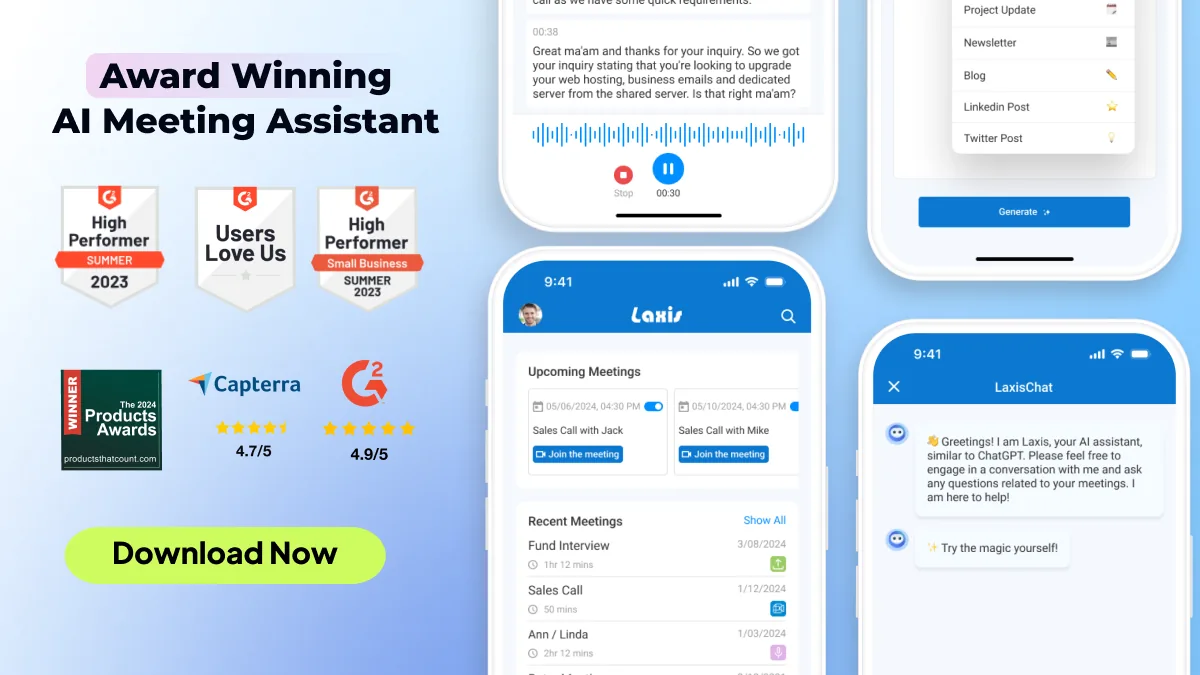
Tap the red button and the app starts recording into a note. The live transcript is a swipe away, AI live notes land in the document every few minutes alongside whatever you type (your own text is never overwritten), and a live summary card updates as the meeting runs. When you stop, Laxis polishes the notes, writes a report and pulls action items into a Tasks list that collects them from every meeting. You can name speakers by tapping their label, add a photo of the whiteboard to the transcript in the newest version, and export to TXT, DOCX or PDF.
For online meetings, the app can send the optional Laxis bot to a Zoom, Google Meet or Teams link you paste, or to calendar meetings automatically; on a laptop, the desktop app records without any bot. For phone calls, the Laxis Help Center describes recording calls on speaker, and on iPhone a call that comes in mid-recording pauses it until you hang up. In practice that means the call plays on one device while Laxis records on another, or you wear OSO AI Earbuds; Laxis says they pick up both sides of a call. Two things the others don't bundle: live translation under each line while you record (Premium), and the Laxis keyboard for dictating into any app on the same account.
What's good: the room, online meetings and translation in one app; notes, tasks and recordings sync to desktop and web; 100+ languages; dictation included. What to watch: the free 300 minutes are shared with dictation; on Android the app has to stay open on screen while recording; transcription runs in the cloud and needs a data connection; AI Chat and translation are Premium, and CRM sync is Business. Premium is $9.99 a month billed yearly ($15.99 monthly) for 2,000 minutes and two-hour recordings, Business $19.99 billed yearly for unlimited minutes, and every new account gets a 14-day Premium trial without a card.
2. Otter: a long-established app with live transcripts
Free plan: 300 minutes a month, conversations up to 30 minutes · Pro: $8.33 per user a month on yearly billing · iPhone, Android
Otter's mobile apps have been around for years, and it shows. The app records in person with words appearing as people speak, supports widgets and Siri shortcuts, and takes audio from the built-in mic, Bluetooth or AirPods. Its meeting bot joins Zoom, Teams and Google Meet from your calendar. For calls, Otter's own advice is to record with the phone's built-in call recorder and import the file, which bumps into the free plan's limit of three imported files, ever. Pro is $8.33 a month billed yearly ($16.99 monthly) for 1,200 minutes and meetings up to 90 minutes.
What's good: polished apps; live transcription; solid search and playback. What to watch: the free plan caps each conversation at 30 minutes and shows only your 25 most recent conversations, archiving older ones until you upgrade; transcription covers English, Spanish, French and Japanese, with German and Simplified Chinese in beta, one language per conversation; the bot is a visible participant unless you record from the desktop app. More in our full Otter.ai review.
3. Fireflies: built for online meetings, with a phone app for the rest
Free plan: transcription listed as unlimited, 400 minutes of storage per team · Pro: $10 per seat a month on yearly billing · iPhone, Android
Fireflies centers on its bot: connect your calendar and it records Zoom, Google Meet, Teams and other platforms. The mobile app records in-person conversations, then gives you summaries, action items and AskFred, its assistant for questions about past meetings, plus soundbites and uploads. The free plan lists transcription as unlimited but stores only 400 minutes per team and limits AI summaries. Pro is $10 a seat a month billed yearly ($18 monthly) with unlimited summaries and 8,000 minutes of storage per seat.
What's good: strongest when the bot does most of the work; 100+ transcription languages; easy reviewing on the move. What to watch: the free storage cap fills quickly; its app listing mentions phone calls, but Fireflies documents no way to capture one on the same phone, so in practice you upload a recording. Our full Fireflies review covers the desktop side.
4. Granola: for iPhone users who never want a bot
Free plan: Basic, with 30 days of meeting history · Business: $14 per user a month · iPhone, Android
Granola is bot-free on every device. On iPhone it takes notes in person and on outbound calls you place through its built-in dialer, a neat answer to the call problem. The Android app, launched in July 2026, covers in-person notes and chat but not phone calls. On both, online meetings are left to the desktop app, and templates, folders and integrations are managed there too.
What's good: no bot, ever; a calm notepad that builds on what you type; outbound call notes on iPhone. What to watch: phone-call notes are iPhone-only; nothing for online meetings on the phone; free history stops at 30 days.
5. tl;dv: a recorder for teams already on tl;dv
Free plan available · Pro: $18 per seat a month on yearly billing · iPhone, Android (early access)
tl;dv's mobile app, still in early access, does one thing: it records in-person meetings, audio only, for up to three hours. It works offline, holding up to five recordings until you reconnect. The transcript and notes then appear in the tl;dv web app, because, as its help center says, you can't yet browse meetings or read summaries in the app. An incoming call stops the recording and saves what was captured.
What's good: dependable offline capture; slots into an existing tl;dv workflow. What to watch: nothing to read on the phone yet; online meetings are handled by the bot or desktop app. See our full tl;dv review.
6. Notta: for transcripts that need translating
Free plan: 120 minutes a month, conversations up to 3 minutes · Pro: $8.17 a month on yearly billing · iPhone, Android
Notta's app records and transcribes in real time, lets you bookmark moments and translates transcripts into 40+ languages. Pro is $8.17 a month billed yearly for 1,800 minutes and recordings up to five hours, with transcript translation included; Notta sells further translation add-ons, including bilingual transcription. For calls it sells Notta Memo, a recorder that sticks to the back of your phone.
What's good: the translation options; generous minutes on Pro. What to watch: a 3-minute limit per conversation makes the free plan a demo; the most useful translation features cost extra.
7. Plaud: for people who'd rather carry a recorder
Free plan: Starter, 300 minutes a month with a Plaud device · Pro: $8.33 a month on yearly billing · iPhone and Android companion app
Plaud is a hardware company first. Its support site describes the app as the companion to Plaud devices, with recording, file transfer and membership benefits all starting from a device bound to your account. Every device includes the Starter plan; Pro is $8.33 a month billed yearly for 1,200 minutes, and Unlimited $19.99 a month billed yearly. The app then handles transcription in 112 languages, summaries and a large template library, and phone calls are captured by the recorder rather than the app.
What's good: your phone stays free; recording doesn't depend on an app staying open. What to watch: you buy hardware before anything works, and it's one more gadget to charge. Our Plaud Note review goes deeper.
All seven side by side
| Laxis | Otter | Fireflies | Granola | tl;dv | Notta | Plaud | |
|---|---|---|---|---|---|---|---|
| In-person meetings | Live transcript and AI notes | Live transcript | Yes | Yes | Audio only; notes in web app | Live transcript | Through a Plaud recorder |
| Online meetings | Optional bot sent from the app or calendar; no bot on desktop | Bot from calendar; desktop app without a bot | Bot from calendar; no-bot desktop mode | Desktop app only | Bot or desktop app | Bot | Not from the app |
| Phone calls | On speaker with a second device, or OSO earbuds | Record with the phone, then import | Upload a recording; no direct capture | iPhone outbound calls via its dialer | Incoming call stops recording | Notta Memo hardware | Plaud recorder |
| Live translation | Under each line (Premium) | Not listed | Not listed | Not listed | Not listed | Add-ons | Not listed |
| Free plan | 300 min/mo, 45 min per recording, 30 days history | 300 min/mo, 30 min per conversation | Unlimited transcription listed, 400 min storage | 30 days history | Yes | 120 min/mo, 3 min per conversation | 300 min/mo with a device |
| Paid from, billed yearly | $9.99/mo | $8.33/user/mo | $10/seat/mo | $14/user/mo | $18/seat/mo | $8.17/mo | $8.33/mo plus device |
The phone-call problem, and the workarounds that hold up
Since no app here can capture a call made in your phone's own Phone app, you're choosing between four workarounds. Built-in recording, then import: recent iPhones and many Android phones can record calls in the Phone app, usually announcing it to both sides, though availability varies by country, and you share the file to your note taker. It works, but it's two steps, and imports count against free-plan limits. Speakerphone and a second device: put the call on speaker and record it with a laptop or another phone, which is how Laxis documents it. An in-app dialer: Granola on iPhone, for outbound calls only. Hardware: Plaud recorders, Notta Memo, or OSO AI Earbuds feeding the Laxis app.
Whichever you pick, tell people you're recording, and know whether your state or country needs everyone's consent. The one-party and all-party rules are in our walkthrough on how to record a phone call.
If you want calls, in-person meetings and your Zoom calls in one searchable place, download the Laxis app and run it through a normal week on the 14-day Premium trial.
Before you install anything
- Test it in your actual room. A phone in the middle of the table and one at your elbow give very different transcripts.
- Read the per-recording cap, not just the monthly minutes. 3, 30 and 45 minutes are very different free plans.
- Check where you read the notes. Some apps record on the phone but expect you at a laptop afterwards.
- Match your languages. A short language list is a hard limit, not a setting.
If your meetings are mostly on a computer rather than a phone, the desktop side is covered in our 2026 ranking of AI meeting note takers, and the Laxis AI meeting assistant overview explains how its phone and desktop apps fit together.
One note taker for the room, the call and the Zoom. Record in person on iPhone or Android, send a bot when you're away from your desk, and get notes, tasks and translation in one library. Start with the 14-day Premium trial, no credit card. Install Laxis on your phone
The bottom line
Phones are excellent meeting recorders and awkward meeting attendees. The apps that do well on mobile accept that: they make the room effortless and are honest that online meetings and phone calls need a workaround. Pick the one whose workaround matches the meetings you actually have, and give it a week before judging.
Frequently asked questions
Which AI note taker app is best for iPhone?
It depends on where your meetings happen. For a mix of in-person meetings, online calls and more than one language, Laxis covers all three in one app. Granola suits iPhone users who never want a bot and mostly meet in person or on outbound calls, and Otter suits teams that meet in English or another of its supported languages and want a long-established app with live transcripts.
Is there a good AI note taker app for Android?
Yes, Laxis, Otter, Fireflies, Notta and tl;dv all have Android apps that record in-person meetings, and Granola's Android app covers in-person notes too, though phone-call notes are iPhone only. On Laxis, keep the app open on screen while recording; tl;dv's Android app records but sends you to its web app to read the notes.
Can an AI note taker app record a Zoom call on my phone?
No, because iOS and Android do not let one app capture another app's audio. To cover a Zoom, Teams or Meet call you join from your phone, a note taker's bot joins the meeting instead, usually from your calendar; Laxis, Otter, Fireflies, tl;dv and Notta all have one. On a laptop, Laxis, Granola, Otter, Fireflies and tl;dv all have desktop apps that can record a meeting without a bot.
Can AI note taker apps record phone calls?
Not through your phone's own Phone app, since Apple and Google restrict third-party apps from capturing those calls. The workarounds are your phone's built-in call recording followed by an import, a call on speaker recorded by a second device, an in-app dialer such as Granola's on iPhone, or hardware like Plaud recorders or OSO AI Earbuds. Always tell the other person.
Which free AI note taker app gives the most minutes?
Laxis, Otter and Plaud each list 300 minutes a month, but the caps around them differ. Laxis allows 45 minutes per recording, Otter 30 minutes per conversation, and Plaud's minutes need a Plaud device. Fireflies lists transcription as unlimited with 400 minutes of storage per team, and Notta's free plan stops at 3 minutes per conversation.
Do I need an AI note taker app if I already use Voice Memos?
Only if your recordings are meetings that other people depend on. Voice Memos and similar recorders are built for capturing audio, while meeting note takers are built around what comes next: transcripts with speaker names, action items, a library you can share and a way to cover online calls. For notes to yourself, the built-in recorder is enough.