Speech to Text: How It Works and What It Costs
Say a sentence into your phone and watch the words appear. Then watch the third word change after you finish the fifth. That flicker is the whole field in miniature — a machine placing a bet, then revising it once more evidence arrives.
Speech to text is now so ordinary that most people never wonder what it is. It captions videos, files insurance claims, answers phone trees, writes clinical notes, and quietly logs whatever your car's microphone hears. It also fails in ways that look random until you understand the machinery, at which point they look almost inevitable.
So: what the term covers, what the system is doing between your mouth and the screen, how accurate it honestly gets, who leans on it, what it costs, and what shifted recently. No product rankings here.
The term covers more ground than most people assume
Speech to text is the conversion of spoken audio into written words. Its formal name is automatic speech recognition, usually shortened to ASR, and the two phrases point at exactly the same thing. Engineers and vendors say ASR; everyone else says speech to text, or voice to text, depending on habit.
Where people go wrong is treating it as a product category. It isn't one. It's a capability sitting underneath many products, in two modes that feel nothing alike.
Live mode runs while sound is still arriving. Words land on screen a fraction of a second behind the speaker — a dictation app, a captioning system, the microphone button in a search bar. Nothing is stored first; audio is consumed as it comes.
File mode runs on a recording that already exists. The whole thing is available at once, so the system can read ahead and behind before committing to any word. That's the mode behind converting a recording into a document after a meeting or interview — a related job with its own workflow.
Four technologies that keep getting mistaken for each other
Search results for speech to text are polluted by three adjacent technologies doing genuinely different jobs. Worth separating once, properly.
The nastiest confusion is voice recognition. Loosely, it means the same as speech recognition. Strictly, it means the opposite half of the problem: not what was said, but who said it. A voiceprint system compares the physical characteristics of a speaker's voice against an enrolled sample to confirm identity — what a bank is doing when it says "my voice is my password." Speaker identification and diarization descend from the same family. They tell you the person, not the words, and they run independently, which is why a transcript can name the wrong speaker while spelling every word correctly.
| Technology | Question it answers | Input → output | You meet it in |
|---|---|---|---|
| Speech to text (ASR) | What words were spoken? | Audio → text | Dictation, captions, meeting transcripts, phone menus |
| Voice recognition / speaker ID | Who is speaking? | Audio → an identity or a label | Voice banking, "Speaker 2" labels, forensic matching |
| Text to speech (TTS) | How should this text sound? | Text → audio | Screen readers, audiobooks, assistant replies, IVR prompts |
| Spoken language understanding | What did they mean, and what should happen? | Text (or audio) → intent and action | "Set a timer," call routing, agent copilots |
Text to speech is the clean mirror image — a voice manufactured from writing rather than writing from a voice. Understanding sits on top of recognition: once you have words, something still has to decide that "push it to next Thursday" is a scheduling request. A smart speaker chains three of the four in under a second, which is why people experience them as one thing.
What the machine is doing while you talk
The intuitive model — the computer matches each sound to a dictionary word — is wrong, and every useful thing you can do to improve your results follows from why.
A recognizer doesn't identify words one at a time. It searches for the sequence of words most likely to have produced the sound it received, scoring candidates on two things at once: how well each fits the acoustic evidence, and how plausible it is as a piece of language. Classic systems kept those as separate components — an acoustic model mapping sound to phonemes, a pronunciation lexicon, and a language model scoring word sequences. Modern end-to-end systems train the whole chain as one network emitting text tokens directly, but the underlying arithmetic is the same balancing act.
That balance explains the field's most famous joke. "Recognize speech" and "wreck a nice beach" are nearly identical as sound. Only the language side breaks the tie, and it breaks it by asking which phrase people actually say. Push the logic further and you get the behaviour everyone notices: the system repairs a word you mumbled because its neighbours made the answer obvious.
It also explains the failure that annoys people most. Say a colleague's surname or an internal product name the model never encountered in training and it cannot output it — not "won't," cannot. It substitutes the closest thing it knows and moves on. The fix is contextual biasing, sold as a custom dictionary, custom vocabulary, or word boost: hand the system a short list of terms and it re-weights the search in their favour. Highest-leverage setting in most tools, and the one people find last.
Ten-minute setup that changes your opinion of a tool: before judging any speech to text app, load its custom vocabulary with twenty terms — teammates' surnames, product names, your industry's acronyms, your two biggest clients. Most people evaluate on day one, watch a name get mangled three times, and conclude the technology is bad. It isn't. It just hasn't met your world yet.
Live and after-the-fact are different problems
Here's where the two modes separate, and where most confusion about quality starts. A system working on a finished file can look forward. It sees the end of the sentence before deciding on the beginning, which is a substantial advantage — the same acoustic ambiguity is far easier to resolve with three seconds of future context. That's why processing a recording generally beats live capture of identical audio. Not a different-quality product; a different-quality problem.
A live system has no future to consult. It must emit something now, so it publishes a partial hypothesis — its current best guess — and revises as more audio arrives. Those revisions are the words rewriting themselves on screen. Not a glitch; the honest expression of a system updating its bet.
Two mechanisms shape how live speech to text feels:
- Endpointing. Something has to decide when you've stopped talking rather than merely paused. Short threshold, and the system cuts you off mid-thought; long threshold, and every sentence ends with an awkward wait. No setting pleases everyone, which is why some tools feel impatient and others sluggish.
- Two-pass decoding. The common architecture runs a fast model that only sees what already happened to produce the flickering partials, then a slower one that can look ahead to finalize the line. Low latency where you need responsiveness, better accuracy where it lands permanently.
Latency here isn't one number either. There's the delay before the first word appears, the rate at which partials update, and the wait before a line is finalized. Chunk size mostly moves the first; endpointing mostly moves the last. A vendor quoting a single figure is quoting whichever flatters them.
Accuracy is a property of your audio, not of the product
Everyone wants one number. The honest version needs two sentences.
Researchers score these systems with word error rate: add up every word swapped, dropped, or invented, divide by the number of words actually spoken. Lower is better, and it's the inverse of the accuracy percentage in marketing copy — 3% word error rate is 97% accuracy.
On clean, well-recorded speech from one person, leading engines in 2026 sit roughly in the 2–5% range. ElevenLabs' Scribe v2 was measured around 2.3% in March 2026; Deepgram's Nova-3 and NVIDIA's Canary Qwen have both landed near 5% on independent English leaderboards. Excellent numbers, and for most readers irrelevant.
Benchmarks are built from recordings that behave: read sentences, decent microphones, one voice at a time. Your audio is a video call with someone on a laptop speaker, a dog, and two people finishing each other's sentences. Across mixed real-world material, published accuracy figures spread from about 85% to 98%, and error rates on messy multi-speaker meeting audio are commonly reported in the 15–25% band. Same engines. Different world.
What moves your number, roughly in order of damage: how many people talk at once, how far the microphone sits from the mouth, how much the room reverberates, how well the speaker's accent is represented in training data, and how specialist the vocabulary is. Accent gaps are real and industry-wide — every engine sold today, ours included, loses ground when accents are strong and people talk across one another. Any vendor implying otherwise is selling.
There's a subtler problem too: the system has no idea when it's wrong. Confidence scores exist, but a fluent end-to-end model can produce a perfectly grammatical sentence nobody uttered and report it with the same composure as a correct one. A human transcriber writes "[inaudible]." A model guesses.
The cheapest accuracy upgrade available: a $60 USB microphone or a wired headset will improve your results more than switching vendors. Close-miking cuts room echo, lifts the voice above background noise, and preserves the high frequencies that separate similar consonants. Every model here fights the same physics, and physics is settled before the software gets a turn.
The jobs speech to text quietly does all day
Personal productivity is the visible tip. The volume is elsewhere.
Contact centres are probably the largest commercial deployment. Live recognition feeds agent-assist panels that surface the right answer mid-sentence, and it turns quality assurance from listening to a 2% sample into scoring every call. Routing, compliance checks and post-call summaries all sit on the same transcript.
Accessibility and captioning is where the technology stopped being optional. In the US, the Justice Department's Title II rule sets WCAG 2.1 Level AA as the standard for state and local government digital content, with compliance dates in April 2027 and April 2028 depending on population size, and private organisations widely build to the same benchmark. Separately, from 17 August 2026 the FCC requires manufacturers of covered devices and multichannel video distributors to make closed-captioning display settings readily accessible. Worth stating plainly: automatic captions alone generally don't clear the accuracy bar these rules imply. They punctuate poorly, mangle names, and skip non-speech sounds a deaf viewer needs. The compliant pattern is machine draft plus human correction.
Clinical documentation remains a huge market, though anything touching protected health information needs a vendor that will sign the appropriate agreements, not a general-purpose app. Courts use it as a first pass under certified human review. Media and education use it to make archives searchable — the real payoff of captioning a 40-hour lecture series is finding the four minutes about eigenvalues.
And meetings, which is how most office workers now meet it: a system captures the call and produces a timestamped record with speaker labels, increasingly doing something with it afterwards rather than handing over a wall of text.
Built-in, embedded, dedicated, or an API
Every speech to text product falls into one of four buckets, and the bucket predicts your experience better than the brand does.
| Category | What it is | Strengths | Where it runs out | Typical cost |
|---|---|---|---|---|
| Operating-system built-ins | Dictation shipped with Windows, macOS, iOS, Android | Free, private on modern devices, zero setup, works wherever the keyboard does | Thin formatting, no real custom vocabulary, no record kept | Included |
| Embedded in an app | Voice typing inside a document editor, browser, or conferencing tool | In context, nothing to install, decent for that one task | Stops at the app boundary; text is stuck where it was made | Included with the app |
| Dedicated speech to text apps | Standalone dictation keyboards and meeting assistants | Filler and punctuation cleanup, custom vocabulary, cross-app, summaries | Another subscription; mostly cloud, so audio leaves the device | Roughly $10–$20 per user per month |
| Developer APIs and open models | Cloud recognition endpoints, or an open model you host | Total control, tuning, streaming or batch, volume pricing | You build the product around it; unusable out of the box | Metered per hour of audio, or your own compute |
The interesting split inside the third bucket is what happens after the words exist. Some tools stop at text. Others treat the transcript as raw material — Laxis, for example, records and transcribes Zoom, Google Meet and Microsoft Teams calls across 100-plus languages, then pulls out action items and pushes outcomes into HubSpot or Salesforce, which is a different job from typing faster. Neither approach wins in the abstract; they answer different questions. If you've read this far mainly to work out which product to buy, our hands-on comparison of the best dictation tools names names, which this page deliberately doesn't.
Three pricing shapes, and one trap
Cost depends entirely on which bucket you're in, and the shapes aren't comparable.
Free genuinely means free at the OS level. Every major platform includes dictation, and for short bursts the built-in option is fine and increasingly runs on the device rather than a server.
Per-seat subscriptions are the standard for dedicated tools, clustering between roughly $10 and $20 per user per month, usually with a free allowance to start. Our own pricing: a free tier with 300 transcription minutes a month, then $15.99 per user for Premium, which sits in that band, and $29.99 for Business. The maths that matters isn't the headline rate, it's your volume — bundled minutes win once you're processing several hours a week, metered wins if you touch it twice a month.
Metered API pricing is where the real unit economics live, and 2026 list prices are low enough to be surprising. AssemblyAI publishes asynchronous transcription from about $0.15 per hour of audio on Universal-2 and $0.21 on Universal-3.5 Pro, with real-time streaming at $0.45. Deepgram's Nova-3 lists around $0.0043 per minute for batch and $0.0077 streaming — roughly $0.26 and $0.46 an hour. OpenAI's GPT-4o Transcribe is around $6 per thousand minutes, and Google Cloud's standard tier around $16 per thousand minutes before volume discounts.
Two patterns hold across all of them. Streaming costs meaningfully more than batch processing of the same audio — commonly 40–50% more — because you're paying for a held-open connection and tighter latency. And the headline rate is a floor, not a price: switch on diarization, summarization, redaction, sentiment and custom vocabulary and the effective cost can land two to four times higher than the pricing page suggests. That's the trap.
Put speech to text to work on your calls
Laxis records, transcribes and summarizes Zoom, Google Meet and Microsoft Teams meetings in 100+ languages, extracts action items, and syncs to HubSpot and Salesforce. Free plan includes 300 transcription minutes a month.
What actually changed, and what's arriving
Three shifts explain why this stopped being frustrating and kept improving.
The first is architectural. Hand-built pipelines with separate acoustic, pronunciation and language components gave way to single networks fitted to vast archives of recorded speech matched against its written form. That's why coverage of accents, languages and casual speech improved so sharply — and why the failure mode changed. Older systems produced obvious gibberish; newer ones produce confident fluent errors.
The second is that the models got small enough to move. Recognition that once needed a data centre now runs on a phone, and some conferencing and captioning features process locally by default — a real privacy and reliability gain, since no connection is needed and no audio travels. Cloud models still hold an edge on difficult audio, unusual vocabulary and long-tail languages, which is the honest trade-off behind cloud-based tools like ours.
The third is streaming architecture. Encoders designed to consume audio frame by frame, caching what they've already seen rather than reprocessing it, brought live latency down far enough that talking to a machine stopped feeling like a walkie-talkie exchange. NVIDIA's cache-aware conformer work in 2026 is one public example.
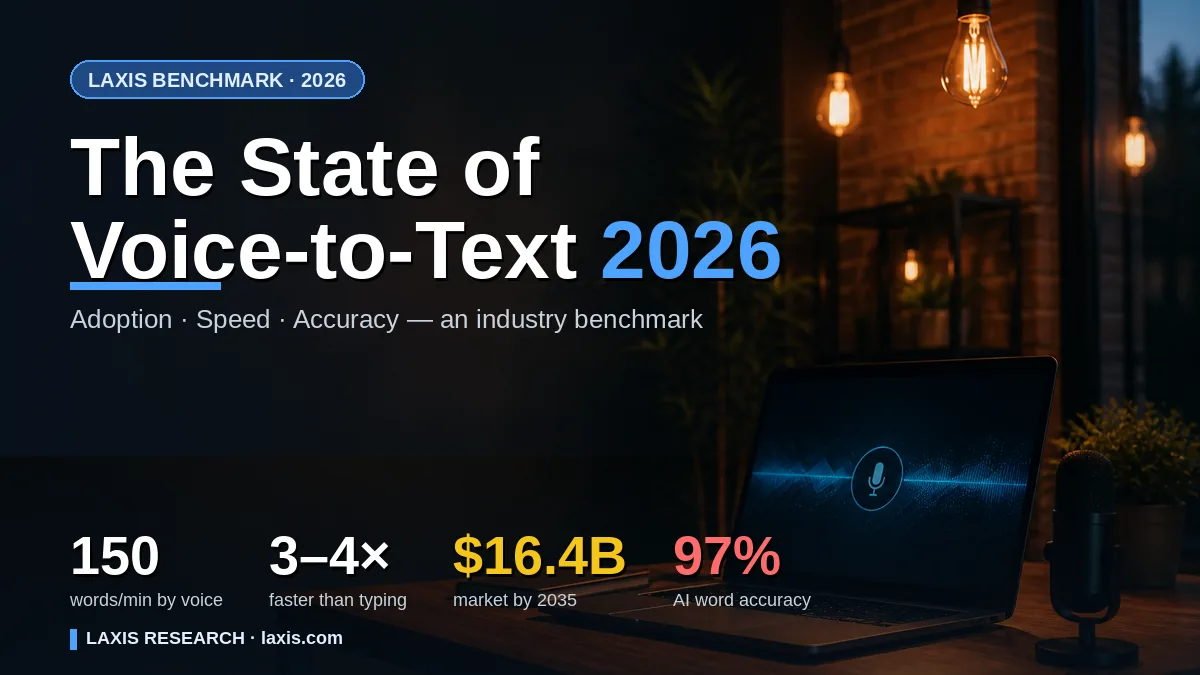
What's next is more interesting than another point of accuracy. Models operating on audio directly — answering a spoken question without ever committing to an intermediate transcript — skip the step this article describes, and they're already shipping in assistant products. Evaluation is under pressure too: word error rate treats a dropped "the" and a dropped "not" identically, which is plainly wrong, and researchers are pushing toward measures that weight meaning. Our 2026 state-of-the-category report has the adoption and market figures behind all of this.
The bottom line
The remaining problem isn't hearing. On clean audio the technology is finished — better than most people, faster than all of them, at a fraction of a cent per minute. The unsolved parts are the human ones: knowing who spoke, knowing what mattered, knowing when it didn't understand.
That last one is the real frontier. A system that could say "I'm not sure about this line" would be worth more than one that's two points more accurate and silent about its mistakes. Until then, treat automatic text as a strong draft by a fast, confident colleague who has never once said "sorry, could you repeat that?"
Frequently asked questions
What is speech to text?
Speech to text is the technology that converts spoken audio into written words, and its formal name is automatic speech recognition. It covers both live use, where words appear on screen as you talk, and offline use, where a stored audio or video file is processed afterwards. Dictation apps, live captions, phone assistants and meeting tools are all products built on top of it.
How does automatic speech recognition work?
An automatic speech recognition system turns the microphone signal into a numerical description of the sound, then a neural network searches for the word sequence most likely to have produced it. That search weighs acoustic evidence against how plausible a phrase is in the language, which is why context repairs sounds the microphone captured badly. Formatting and speaker labels are added afterwards.
How accurate is speech to text?
On clean recordings of one person, leading engines score roughly 2 to 5 percent word error rate, which is 95 to 98 percent of words correct. Published figures across mixed real audio spread much wider, from about 85 to 98 percent, and messy multi-speaker meeting audio is often reported in the 15 to 25 percent error range. Your microphone and your room matter more than your vendor.
What is the difference between speech recognition and voice recognition?
Speech recognition works out what words were said. Voice recognition, used strictly, works out who said them by comparing vocal characteristics against an enrolled voiceprint, which is why banks use it to verify callers. The two run as separate systems and answer separate questions, though everyday writing often uses voice recognition loosely to mean either.
Is speech to text free?
Yes, at small scale. Windows, macOS, iOS and Android all include dictation at no cost, and browsers and office suites bundle their own voice typing. Paid tools charge either a monthly seat price, commonly around 10 to 20 dollars, or a metered rate through an API, where 2026 list prices run from roughly 0.15 to 1 dollar per hour of audio.
Does speech to text work offline?
Some of it does. Phones and laptops now ship compressed recognition models that run locally, so basic dictation and some live captioning keep working with no connection and no audio leaving the device. Larger cloud models are still generally stronger on hard audio, wide vocabulary and many languages, so most business tools, Laxis included, process in the cloud.
What is the difference between speech to text and text to speech?
They run in opposite directions. Speech to text listens to audio and produces written words. Text to speech reads written words and produces synthetic audio, which is what powers screen readers, audiobook narration and voice assistant replies. A voice assistant uses both: recognition to hear the request, synthesis to answer it.
Related Product
Laxis Voice Keyboard
Dictate anywhere, effortlessly.
- Dictate into any app, 4x faster than typing
- Polished, professional text in 100+ languages
- Mac, Windows, iPhone and Android, with a free plan
Start for free, no credit card required.
Learn More ▷