Apple Watch Comparison 2026: Series 12 vs Ultra 4 vs SE 3

Apple now sells three watches, so an Apple Watch comparison is shorter than it used to be: SE 3 from $249, Series 12 from $399 and Ultra 4 from $799. The real work is separating the differences you'll feel on your wrist from the ones that only live on a spec sheet. Every number below comes from apple.com as of November 3, 2026, followed by picks for each kind of buyer, a straight answer for owners of Series 9, 10 or 11, and what matters if the watch will sit through your meetings.
A note on method: we didn't lab-test these watches, and we earn nothing when you buy one. Laxis makes an app for Apple Watch; it appears near the end, limits included.
The short answer
- SE 3, from $249: Apple's fitness, sleep and safety basics for the least money, if you can do without ECG, the Blood Oxygen app and hypertension notifications.
- Series 12, from $399: the full health sensor set, a 2,000-nit display, up to 24 hours of battery and Audio Intelligence in a 9.7mm case. The default for most people.
- Ultra 4, from $799: up to 50 hours of battery, satellite features and a dive-rated titanium case, for long trips, trails and open water.
- The watch you already own, if it's a Series 9, 10 or 11 that still lasts the day. All three run watchOS 27.
What Apple sells in November 2026
Apple's Watch page lists three models. Series 12 and Ultra 4 are new this fall, and SE 3, a 2025 model, stays on as the entry point. Apple Watch Nike and Apple Watch Hermès sit in the same menu but aren't separate hardware: the Nike page is a collection of bands plus the Nike Globe watch face, and Apple's compare page lists Hermès as an edition of Series 12 and Ultra 4. Series 11 and Ultra 3 have left the lineup.
The three share more than their prices suggest: each needs iPhone 11 or later on iOS 27, has 64GB of storage and 5G cellular (standard on Ultra 4, optional on the other two), and lists single tap, double tap and wrist flick gestures.
Apple Watch comparison table: Series 12, Ultra 4 and SE 3 side by side
To compare Apple Watch models line by line, start here. Every figure is Apple's.
| Series 12 | Ultra 4 | SE 3 | |
|---|---|---|---|
| US starting price | $399 | $799 | $249 |
| Case sizes | 42mm or 46mm | 49mm | 40mm or 44mm |
| Case materials | Aluminum (4 colors), titanium (2), ceramic (2) | Grade 5 titanium, natural or black | Aluminum, midnight or starlight |
| Weight | 31.5 to 52.9 g, by size and material | 63.0 to 63.1 g | 26.3 to 33.0 g |
| Thickness | 9.7mm (ceramic 9.85mm) | 12mm | 10.7mm |
| Display | Always-On, wide-angle OLED, LTPO3, up to 2,000 nits | Always-On, wide-angle OLED, LTPO3, up to 3,000 nits | Always-On, OLED, LTPO, up to 1,000 nits |
| Front cover | Ceramic Shield 2 (aluminum); sapphire (titanium, ceramic) | Flat sapphire crystal | Ion-X glass |
| Chip and storage | S11, 64GB | S11, 64GB | S10, 64GB |
| Battery, Apple's rating | Up to 24 h; 38 h in Low Power Mode | Up to 50 h; 84 h in Low Power Mode | Up to 18 h; 32 h in Low Power Mode |
| Fast charging | 0–80% in about 30 min; 15 min for up to 12 h | 0–80% in about 45 min; 15 min for up to 18 h | 0–80% in about 45 min; 15 min for up to 8 h |
| Heart and health | ECG, Blood Oxygen app, hypertension and sleep apnea notifications, Readiness | Same as Series 12 | Sleep apnea notifications, sleep score; no ECG, Blood Oxygen app or hypertension notifications |
| Water and dust | WR 50m, snorkeling to 6m, IP6X | WR 100m, dives to 40m (EN13319), IP6X, MIL-STD 810H | WR 50m, swimming; no dust rating listed |
| Cellular | Optional, 5G | In every model, 5G, plus satellite | Optional, 5G |
| Wi-Fi | 2.4GHz and 5GHz | 2.4GHz and 5GHz | 2.4GHz only |
| Controls | Single tap, double tap, wrist flick | Same, plus Action button | Single tap, double tap, wrist flick |
| Microphones and speakers | Microphone with Voice Isolation; speaker | Three-microphone array, beamforming, wind noise mitigation; dual speakers; siren | Microphone; speaker |
| Audio Intelligence | Yes; Siri Recap and Live Rewind in beta later this year | Yes; same timing | No |
Sources: apple.com/watch/compare, each model's Tech Specs page and the US Apple Store, checked November 3, 2026. Battery hours are Apple's ratings; prices are US starting prices before tax.
Those battery ratings come with recipes. Series 12 earns its 24 hours on 300 time checks, 90 notifications, 15 minutes of app use, a 60-minute workout with music and 6 hours of sleep tracking. SE 3 reaches 18 hours on the same load minus the sleep tracking, and Ultra 4 spreads 50 hours over two days of roughly double the use. Actual results will vary, Apple adds.
Series 12 vs Ultra 4: what the extra $400 buys
Start with what's identical. Both run the S11 chip and both use Apple's new Health Sensing System: a second-generation electrical heart sensor, an always-on optical heart sensor, a blood oxygen sensor and a temperature sensor. Both have Readiness, Recovery HRV, high-frequency background heart rate tracking and Audio Intelligence. For health data alone, Ultra 4 adds nothing.
The $400 goes into stamina and toughness. Ultra 4 is rated for up to 50 hours against 24 (84 against 38 in Low Power Mode), and a 15-minute top-up buys up to 18 hours. Its flat sapphire display peaks at 3,000 nits versus 2,000. It's water resistant to 100 meters, certified for recreational dives to 40 meters and tested to MIL-STD 810H, and it adds dual-frequency GPS, a siren, dual speakers, the Action button, cellular in every model and satellite Emergency SOS, Messages and Find My, free for two years after activation.
The costs that don't show on the price tag: Ultra 4 comes in one 49mm titanium size, 12mm thick and about 63 grams, roughly twice the weight of a 42mm aluminum Series 12. Series 12 offers two sizes and eight finishes across aluminum, titanium and ceramic, and at 9.7mm it slips under a shirt cuff more easily.
A simple test: if you charge every night anyway, Series 12 is enough watch. If you'd rather charge every other day, or spend weekends beyond cell coverage, Ultra 4 earns its price.
SE 3 vs Series 12: where the extra $150 goes
SE 3 keeps more than its price suggests: the S10 chip, an Always-On display, sleep score and sleep apnea notifications, wrist temperature sensing, irregular rhythm and heart rate notifications, Crash Detection and Fall Detection, the same tap gestures and an optional 5G model.
The $150 difference is mostly health hardware and stamina. SE 3 has no ECG app, no Blood Oxygen app, no hypertension notifications and no Audio Intelligence. Its standard OLED peaks at 1,000 nits, half the 2,000 of the wide-angle panel on Series 12. Apple rates it for 18 hours instead of 24, and a 15-minute charge for up to 8 hours instead of 12. It's rated for swimming but not snorkeling, carries no dust rating in Apple's specs, joins only 2.4GHz Wi-Fi networks and comes in aluminum only.
For a first Apple Watch, or a fitness tracker that also handles calls and notifications, SE 3 is the sensible buy. If you want heart features beyond alerts, or a rating that covers a full day plus a night of sleep tracking, Series 12 justifies the extra $150.
Apple Watch size comparison: 40mm to 49mm
Case size is the one choice you can't change later, so settle it before the color. The three models come in five case sizes, and Apple lists the wrist range each one fits:
- SE 3, 40mm or 44mm: 26.3 to 33.0 g and 10.7mm thick. Apple fits the 40mm to 130 to 200mm wrists and the 44mm to 140 to 245mm.
- Series 12, 42mm or 46mm: 31.5 to 52.9 g depending on size and material, and 9.7mm thick (9.85mm in ceramic). The 42mm fits 130 to 200mm wrists and the 46mm 140 to 245mm, and the 46mm has 1,196 square millimeters of display against 970.
- Ultra 4, 49mm only: 63.0 to 63.1 g and 12mm thick, for wrists from 130 to 210mm.
Between two sizes, the smaller case is lighter on the wrist, while the larger one fits more on its screen, which helps if you read messages on your wrist.
Which Apple Watch should you get? Picks by type of buyer
There's no single best Apple Watch for 2026, only the right one for how you'll wear it. Here's how we'd decide.
- First Apple Watch, or a tight budget: SE 3 at $249.
- Health tracking beyond steps: Series 12, for ECG, hypertension notifications, the Blood Oxygen app and Readiness. Apple says it takes background heart rate readings every five seconds, 60 times as often as Series 11.
- Endurance, outdoors and travel: Ultra 4, for the 50-hour rating, satellite features, the 40-meter dive certification and the Action button.
- Small wrists or a light watch: a 40mm SE 3 at about 26 grams, or a 42mm aluminum Series 12 at 31.5 to 32.2 grams.
- A dressier watch: Series 12 in titanium or ceramic, both behind sapphire and both sold only as GPS + Cellular models.
- Waiting for Siri Recap: buy Series 12 or Ultra 4 and check your phone, since Apple requires iPhone 16 or newer (iPhone 16e excluded). As of today, Apple's support page still lists Live Rewind and Siri Recap as a beta due later this year, in English to start.
Already own a Series 9, 10 or 11? You can probably keep it
Apple lists watchOS 27 for Series 9 and later, Ultra 2 and later, and SE 3, and its compare page shows ECG, the Blood Oxygen app, hypertension and sleep apnea notifications and double tap on Series 9, 10 and 11 alike. Not every watchOS 27 feature reaches every device, Apple notes, and Audio Intelligence stays limited to Series 12 and Ultra 4.
Series 12 vs Series 11 is the narrowest gap in this guide. Both list up to 24 hours of battery, a 2,000-nit wide-angle display in 42mm and 46mm, 5G and IP6X. Series 12 adds the S11 chip, the Health Sensing System with Readiness and Recovery HRV, Audio Intelligence, a ceramic option, Ceramic Shield 2 on aluminum cases and quicker top-ups: 15 minutes for up to 12 hours, against 8 on Series 11. If none of that changes your day, Series 11 is still a current watch.
From Series 10, the gains you'd notice are battery (24 hours against 18), 5G instead of LTE, and Audio Intelligence. From Series 9, add a larger wide-angle display (Series 9 came in 41mm and 45mm), a depth gauge and faster charging, about 30 minutes to 80 percent instead of 45. Ultra 2 and Ultra 3 owners would gain the S11 chip, Audio Intelligence and 50 hours of rated battery against 36 and 42.
Further back, Series 6, 7 and 8, SE (2nd generation) and Apple Watch Ultra (first generation) can't install watchOS 27, and Apple's compatibility table stops Series 4, Series 5 and SE (1st generation) at watchOS 10.6.1. Those watches still run apps that need watchOS 10, Laxis included.
Weighing a leftover Series 11 against a new SE 3? Series 11 has ECG, the Blood Oxygen app, hypertension notifications, a 24-hour rating and a 2,000-nit display that SE 3 lacks. Apple no longer sells Series 11 new, so it comes down to price and warranty.
Choosing an Apple Watch for work and meetings
If the watch will sit through client calls and in-person meetings as well as workouts, five things matter more than the chip.
1. Battery across a long day
None of Apple's battery recipes include long stretches of microphone use, so treat the ratings as a ceiling. A day that opens with a 7 a.m. call and ends after a client dinner runs 15 or 16 hours: SE 3, rated for 18, leaves little margin once recordings pile up; Series 12 leaves more; Ultra 4 takes the question off the table. Charge for 15 minutes over lunch if you can (Apple rates that at up to 8 hours on SE 3, 12 on Series 12 and 18 on Ultra 4), and skip Low Power Mode on meeting days if you start recordings with a gesture: Apple says double tap doesn't work while it's on.
2. GPS vs cellular, if recordings need to travel without your phone
Apple draws the line simply: a GPS model connects through your iPhone over Bluetooth or Wi-Fi, while a GPS + Cellular model stays connected on its own with a carrier plan. For recording, that shows up after you tap stop: a GPS watch away from your iPhone waits for Wi-Fi to upload, while a cellular watch can use the carrier network. One more catch: SE 3 joins only 2.4GHz Wi-Fi.
3. Double tap and the other one-touch starts
Apple lists double tap on Series 9 and later, Ultra 2 and later, and SE 3, but each app decides whether to support it. Apple's user guide adds that it won't work with your wrist down, with the watch locked, in Low Power Mode or with Sleep Focus on, so raise your wrist first, then tap. Watch-face complications are the other one-touch start.
4. Audio Intelligence summarizes; it doesn't keep a record
Siri Recap and Live Rewind are limited to Series 12 and Ultra 4, need iPhone 16 or later (not iPhone 16e) and, per Apple's support page today, are due in beta later this year, starting in English. Siri Recap produces a title, a summary and key points; Apple says it keeps no audio, writes no transcript and doesn't attribute speakers, and unsaved recaps delete after 7 days. Live Rewind shows the previous 15 seconds as text. That's a fine memory aid for a hallway chat and thin for a client call, where you need the exact figure quoted and who agreed to what. Our Siri Recap and Live Rewind guide goes deeper.
When you need the record, not the gist
Laxis for Apple Watch gives you the full transcript of a meeting recorded on your wrist, labeled by speaker, plus AI notes and action items. It works on watches as old as Series 4 if they're on watchOS 10.
Download Laxis 14-day Premium trial, no credit card.
5. Microphones: a possible plus, not a reason to spend $400
Ultra 4 lists a three-microphone array with beamforming and wind noise mitigation; Series 12 lists a microphone with Voice Isolation, and SE 3 a microphone. Apple doesn't publish how third-party recording apps use that hardware, and we haven't compared recordings across models, so don't pick Ultra 4 for meeting audio on the spec sheet alone.
Where Laxis for Apple Watch fits
This section is about our own app, so weigh it accordingly. Laxis for Apple Watch asks only for watchOS 10 or later on the watch side, which covers every model in this guide plus older ones back to Series 4. It ships inside the free Laxis iPhone app: install that, sign in, then switch on Laxis in the Watch app on your iPhone.
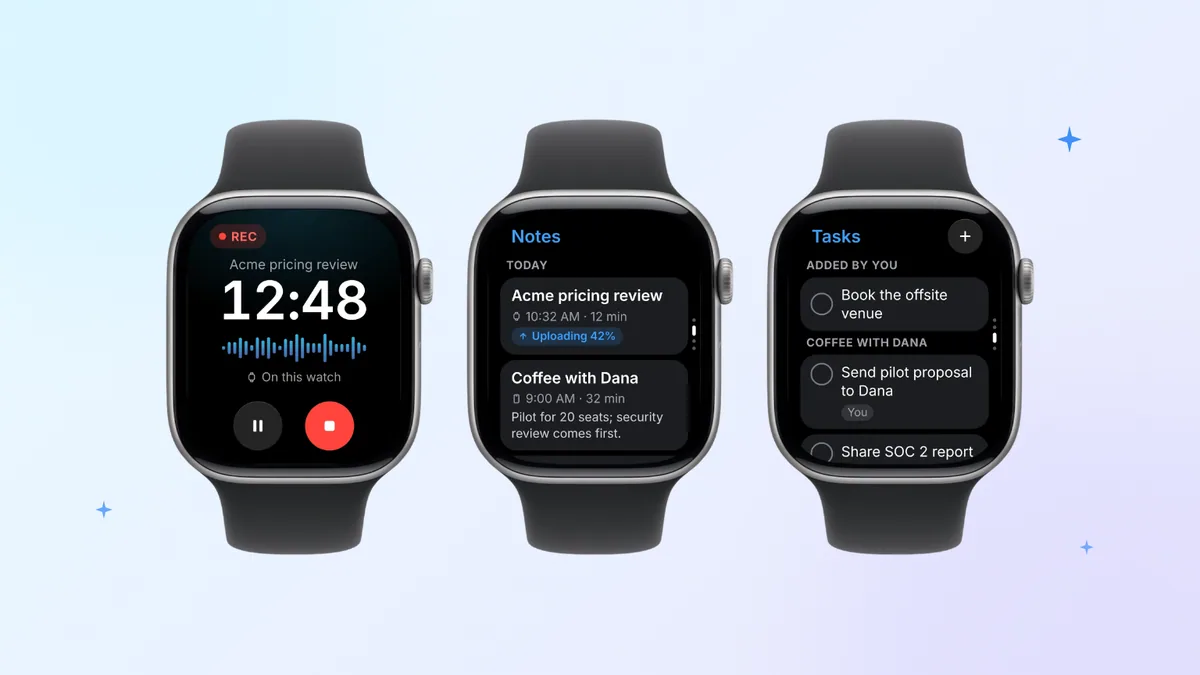
In a meeting, one tap starts recording through the watch microphone, confirmed by a tap on your wrist. You can also start from the watch-face complication, from your next meeting so the notes file under it, or with Double Tap if your watch is a Series 9, Ultra 2 or newer model on watchOS 11 or later. Tap the flag to mark a moment. Your iPhone can stay at your desk: the watch holds the audio and sends it via the phone when the two are close, otherwise over Wi-Fi, or over cellular on cellular models. Laxis then sends back the transcript, labeled by speaker, with AI notes and action items, filed in the Laxis workspace that also holds notes from your Zoom, Teams and Google Meet calls.
The limits, plainly. Processing happens in the cloud, so transcripts arrive after upload, not live on the wrist. The free Basic plan includes 300 minutes a month, shared with Voice Keyboard dictation and live translation; its history covers 30 days, with older notes archived until you upgrade rather than deleted. Basic recordings end and save at 45 minutes (Premium allows 2 hours, Business 4), with wrist taps when 10 and then 5 minutes are left. Ask Laxis, which answers questions about your notes, is Premium. Setup needs the Laxis iPhone app, and there's no HIPAA compliance or BAA.
For screenshots and setup steps, visit the Laxis for Apple Watch page. To see it next to Voice Memos and five other wrist recorders, read our Apple Watch voice recorder roundup; for turning a recording into text, the guide to Apple Watch transcription options; and for the built-in recorders, our walkthrough on how to record audio on Apple Watch.
Planning to record other people? Tell them before you start; a wrist recorder is easy to miss. The law differs by place: in some US states every participant must agree, in others one person's consent is enough, and other countries set their own rules. Our state-by-state guide to recording consent is a good start. This isn't legal advice, and Laxis doesn't notify anyone for you.
Pick the watch, then put it to work in your meetings. Get the free Laxis app for iPhone, add it to your watch from the Watch app, and the next meeting you record on your wrist comes back as a transcript, notes and action items you can share. 14-day Premium trial, no credit card. Get Laxis for Apple Watch
The bottom line
For most buyers, Series 12 is the default and SE 3 the value pick, while Ultra 4 suits people who would rather charge less often or who go where phones don't. None of the three, though, turns a meeting into something you can search, quote and hand to a colleague. That's software's job, and any of them can run it. Choose the watch for your wrist and your charging habits; choose the app for what you need to keep.
Frequently asked questions
Which Apple Watch should I get in 2026?
For most people, Apple Watch Series 12 is the safest pick in November 2026, with the full health sensor set, a 2,000-nit display and up to 24 hours of battery from $399. Choose SE 3 from $249 for core fitness and safety features at a lower price, or Ultra 4 from $799 for up to 50 hours of battery, satellite features and a dive-rated titanium case.
What is the difference between Apple Watch Series 12 and Ultra 4?
Apple Watch Series 12 and Ultra 4 share the S11 chip, the Health Sensing System and Audio Intelligence, so the difference is endurance and toughness. Ultra 4 is rated for up to 50 hours versus 24, peaks at 3,000 nits versus 2,000, is water resistant to 100 meters with dives to 40 meters, adds satellite features and an Action button, and costs $799 versus $399.
Is Apple Watch SE 3 worth it compared with Series 12?
Apple Watch SE 3 is worth it if you mainly want fitness, sleep and safety features for $249 instead of $399. Compared with Series 12, it has no ECG app, Blood Oxygen app, hypertension notifications or Audio Intelligence, peaks at 1,000 nits instead of 2,000, and is rated for 18 hours of battery instead of 24. It keeps sleep apnea notifications, double tap and optional 5G.
Should I upgrade from Apple Watch Series 11 to Series 12?
Most Series 11 owners can skip Series 12, because both are rated for up to 24 hours of battery and share a 2,000-nit display, 5G and watchOS 27. Series 12 adds the S11 chip, Audio Intelligence, the Health Sensing System with Readiness, a ceramic option and faster top-ups of up to 12 hours from 15 minutes. Upgrade if those specific features matter to you.
Do I need a cellular Apple Watch?
You need a GPS + Cellular Apple Watch only if you want it to stay connected without your iPhone nearby, for calls, messages, streaming or uploading recordings on the go. A GPS model connects through iPhone over Bluetooth or Wi-Fi. Cellular requires a carrier plan; every Ultra 4 includes it, and Series 12 titanium and ceramic cases are sold only as cellular models.
Which Apple Watch is best for recording meetings?
Every Apple Watch on watchOS 10 or later can record meetings with an app such as Laxis, so battery and connectivity matter more than the model. Series 12 or Ultra 4 handle long days best, cellular lets recordings upload without your iPhone, and Laxis supports Double Tap on Series 9 or later and Ultra 2 or later with watchOS 11. Tell people before you record, since consent laws vary.
Related Product
Laxis Meeting Assistant
Automate your notes today.
- Bot-free notes for Zoom, Google Meet, Teams and in-person meetings
- AI summaries, action items and follow-ups in 100+ languages
- Mac, Windows, iPhone and Android, with a free plan
Start for free, no credit card required.
Learn More ▷