How to Record Audio on Apple Watch (With or Without iPhone)
Yes, Apple Watch can record audio, and it doesn't need your iPhone nearby to do it. This guide covers the main ways to record audio on Apple Watch: the built-in Voice Memos app, a shortcut on the watch face, the Action button on Ultra models, opening the app with Siri, and third-party apps. It also covers how long a recording can run, where the files end up, and how to get a usable recording of a meeting or lecture from your wrist.
The short answer
Open Voice Memos on the watch, tap the Record button, and tap Stop when you're finished. The recording syncs to Voice Memos on your iPhone, where it shows up under Watch Recordings.
Voice Memos, the recorder that's already on your wrist
Does Apple Watch have a voice memo app? It does. Voice Memos is one of Apple's built-in watch apps and the simplest way to record on the wrist. Apple pitches it for personal notes, but the microphone doesn't care whether it's hearing a shopping list or a planning meeting.
Where is Voice Memos on Apple Watch?
Press the Digital Crown to open your apps, then turn the crown to look through them. If the grid makes it hard to spot, scroll to the bottom of the app view and switch to List view, which puts every app in alphabetical order. Still missing? It may have been removed, since deleting an app on iPhone also deletes it from the watch. Apple says built-in apps can be restored from the App Store on either device.
Record, stop and play back
- Open Voice Memos on your Apple Watch.
- Tap the Record button. While it records, the screen shows the elapsed time.
- Tap Stop to end the recording. It then appears in the list on the Voice Memos screen.
- Play it back by tapping the recording, then Play. The skip buttons move you back or forward.
- Find it on iPhone: open Voice Memos there and tap Watch Recordings.
Apple says recordings made on the watch sync automatically to your iPhone, iPad and Mac wherever you're signed in with your Apple Account.
If one doesn't show up, our guide to Apple Watch voice memos not syncing works through the fixes in order.
Three quicker ways to reach the record button
Hunting through the app grid takes a few seconds you may not have when a conversation starts. These routes are quicker.
Put Voice Memos on your watch face
Complications are the small shortcuts on a watch face, and Voice Memos is one of the options on many faces, including Infograph and Modular; Apple's guide to faces lists which ones offer it. To add it, show the face, touch and hold the display and tap Edit. Swipe left all the way to the end, tap the slot you want, turn the Digital Crown until you reach Voice Memos, then press the crown to save. From then on, one tap on the face opens the app.
Use the Action button (Ultra models only)
On Apple Watch Ultra models, the Action button can be set to Voice Memo. Open Settings on the watch, tap Action Button, tap Action and choose Voice Memo. After that, press the button once to start a voice memo and press it again to stop. You can change the action whenever you like. Other models don't have an Action button, so the watch-face shortcut is the closest thing.
Ask Siri to open it
Can Siri start a voice memo on Apple Watch? Partly. Apple's Siri guide for the watch documents opening apps by voice, so "Open Voice Memos" gets you to the record button, but it doesn't list a command that starts the recording for you. Expect to tap Record once the app is open.
Recording without your iPhone
Can Apple Watch record audio without an iPhone? Yes, on every model. Apple lists recording and playing voice memos among the things the watch can do when you're away from your iPhone and not connected to Wi-Fi, so a watch without cellular records just as well on a run or in a room your phone never entered. The recording waits on the watch and syncs once it can.
Apps can do the same. Just Press Record says its watch app lets you record anywhere, "even when your iPhone is not around," and transfers recordings to iPhone afterwards, while Laxis holds recordings on the watch and syncs them by itself; both come up again below. What you give up without the phone nearby is everything that happens after recording, from sharing to transcription, until the file syncs.
How long can Apple Watch record?
Apple doesn't publish a maximum recording length for Voice Memos on the watch. In practice two things set the limit: free storage and battery. Long recordings take up space, and an hour of microphone time draws on the battery, so start a long session with a well-charged watch, not one that's been on your wrist since breakfast.
To see how much room you have, open Settings on the watch and tap General, then Storage. From iPhone, open the Watch app and tap My Watch, then General, then Storage.
For a long event, record in blocks. Stopping at each break gives you shorter files that are easier to find your way around, and a dead battery late in the day then costs you one session instead of the whole thing.
Third-party apps set their own limits. Just Press Record advertises unlimited recording time on the watch. Laxis follows your plan: a single recording can run up to 45 minutes on the free Basic plan, 2 hours on Premium and 4 hours on Business, and it stops and saves automatically when it reaches the cap.
Where Apple Watch recordings end up
On iPhone, open Voice Memos and tap Watch Recordings. That's where everything you recorded on the wrist lands. With iCloud, the same recordings show up in Voice Memos on an iPad or Mac signed in to your Apple Account too. From there you can manage them like your other memos; our guide to Voice Memos on iPhone covers naming, folders, trimming and sharing.
Here's the catch with audio, though. A 50-minute recording of a meeting is easy to make and tedious to use. Finding the one figure someone mentioned means scrubbing through the file or listening to the whole thing again, and plenty of meeting recordings never get played back at all.
If you'd rather end up with notes than a file, download the Laxis app and put it on your watch.
If you just want text from a Voice Memos recording, start with how to transcribe voice memos on iPhone; our Apple Watch transcription guide covers the options for audio recorded on the wrist.
Third-party recorder apps
Plenty of App Store recorders come with a watch app. Just Press Record is one example: a $6.99 app whose watch side starts recording with a single tap on its watch-face complication, keeps going with no time limit, and sends recordings to iPhone for transcription and iCloud syncing. AI note takers are adding watch apps too, Laxis among them. If your phone is the recorder you actually reach for, our voice memo apps for iPhone and Android roundup covers that side.
We compare the watch recorders worth installing in our roundup of Apple Watch voice recorder apps.
Can Apple Watch record video?
No. Apple Watch doesn't have a camera, so it can't record video by itself. It can run the camera on your iPhone, though. Open Camera Remote on the watch, frame the shot using the watch as a viewfinder, then touch and hold the shutter button until recording begins and tap Stop to finish. The video is saved to Photos on iPhone. Apple says the watch needs to stay within normal Bluetooth range of the phone for this, about 33 feet (10 meters).
Siri Recap and Live Rewind aren't recorders
Apple has announced two Audio Intelligence features for Apple Watch Series 12 and Apple Watch Ultra 4, and neither is a voice recorder. Apple says they don't record or store audio: Siri Recap writes high-level summaries of conversations rather than a transcript, and Live Rewind shows the last 15 seconds of speech as text when you double-press the Digital Crown. As of October 28, 2026, Apple says both are coming as a beta later this year, in English first. For what that means in practice, see our guide to Siri Recap.
Getting a usable recording of a meeting or lecture
A watch is an odd microphone. It's small, it goes wherever your arm goes, and it sits right next to your hands, which make noise. A few habits make a big difference to what you get back.
- Say it first. Tell the room before you tap record. In some places it's the law, and everywhere it's good manners.
- Rest your arm. Lay your forearm on the table with the watch toward the people talking, and keep it still. Gesturing moves the microphone around and adds rustle.
- Keep it uncovered. A shirt cuff over the watch or a hand resting on it muffles everything, so push the sleeve back before you start.
- Mind your hands. Typing, clicking a pen or setting a mug down next to the watch can come out louder than the person speaking across the table.
- Sit close in a lecture. Distance is the big one. Pick a seat near the speaker and away from air vents and projector fans.
- Test for ten seconds. Record a few words, play them back on the watch, and you'll know before it matters whether it's picking people up.
- Charge and clear space before a long session, and turn on Do Not Disturb so calls and alerts don't interrupt.
- Stop it when the meeting ends. A recording that runs on through the walk back to your desk only adds minutes to scrub through later.
- Check the rules for class. Schools and instructors often set their own recording policies, so ask first. Our guide to lecture recorder apps has more on consent in class.
Quick tip: If your iPhone is with you, it usually makes the better meeting microphone. Set down in the center of the table, it's closer to more voices than your wrist is. With Laxis, the watch then works as the remote; more on that below.
Recording conversations: say so out loud
Can Apple Watch record conversations? Technically, yes. The microphone records whatever it can hear, and watchOS can show a small microphone status icon while the mic is on. That icon is for you, not for the people you're talking to, so it doesn't count as telling them.
Depending on where you are, recording people may legally require their consent. Some US states need everyone in a conversation to agree, others need only one participant, and the rules change again outside the US. The habit that keeps you on the right side of most rules: ask before you start, and stop if anyone objects. Our phone call recording guide sets out the one-party and all-party rules by state. It's general information, not legal advice, and so is this article.
If you found this page looking for a way to record people secretly with your watch, that's the one thing we won't help with. Where all-party consent applies, a hidden recording can be a crime. Where one person's consent is enough, that person has to be in the conversation, so secretly recording people you aren't talking with can break wiretap laws there too. Anywhere, it costs you the trust of the people on the tape.
Turn the recording into notes with Laxis
Voice Memos gives you a recording. For meetings, interviews and client conversations, what you usually want afterwards is what was decided and who's doing what next, and that's the job Laxis for Apple Watch was built for.
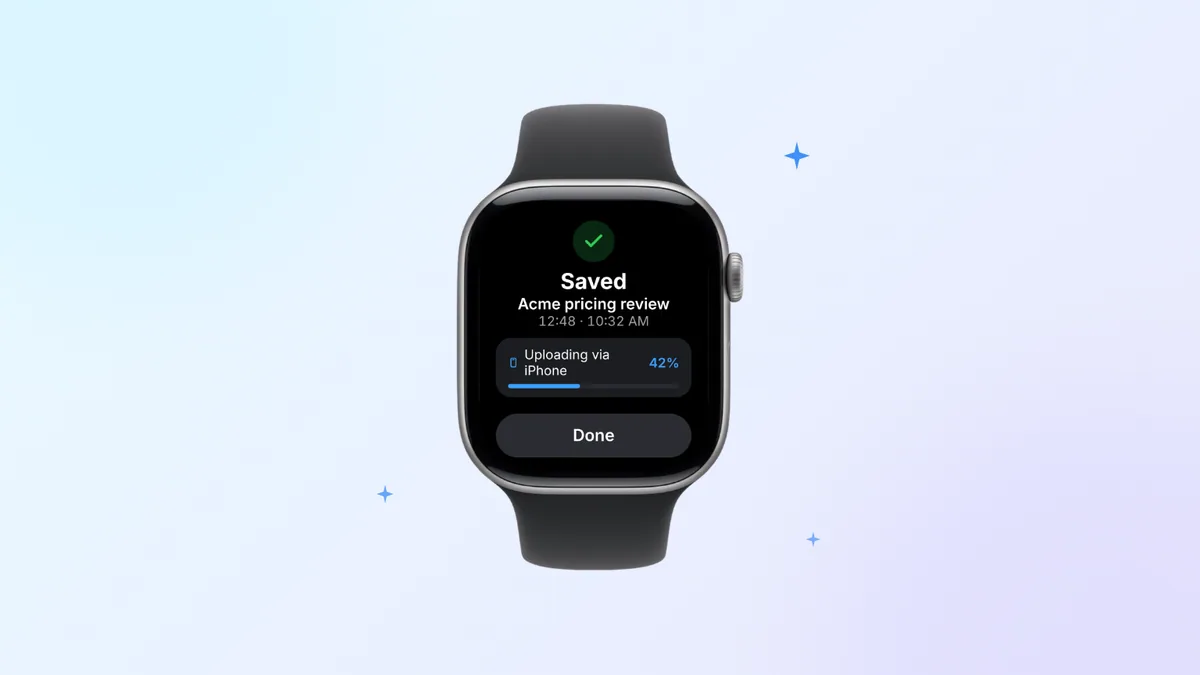
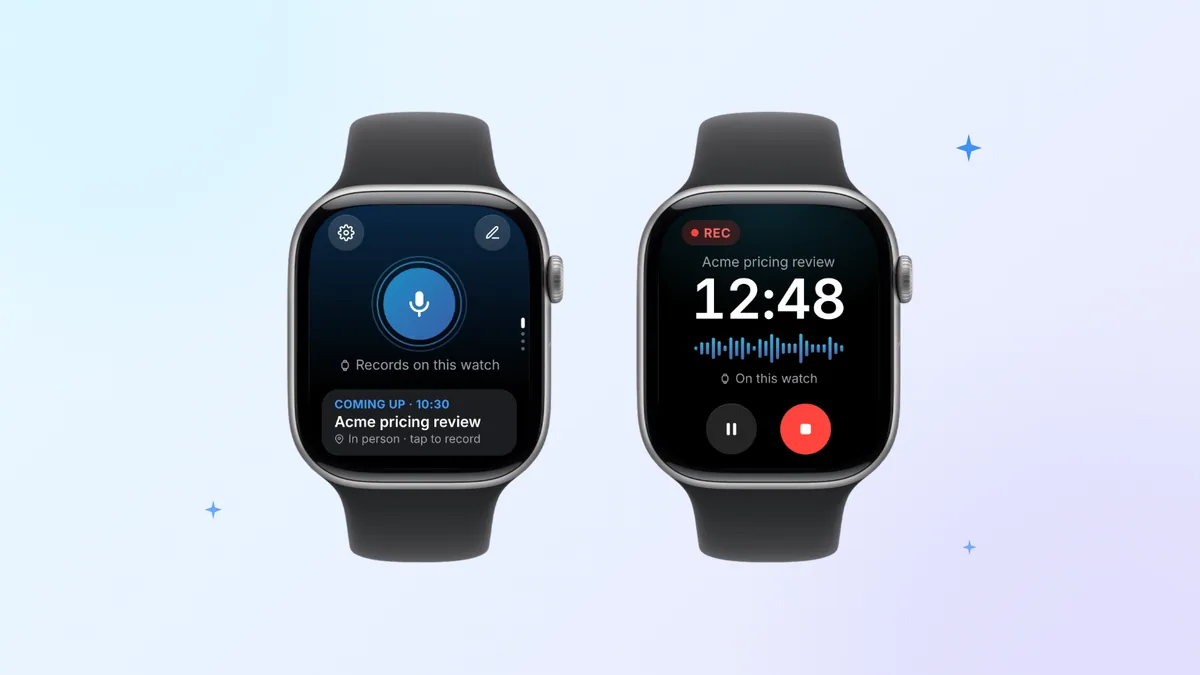
Open Laxis on the watch and one tap starts a recording, confirmed by a tap on your wrist. Laxis also has its own complication, so recording can start from the watch face, and on Apple Watch Series 9 or later, Apple Watch Ultra 2 or later or Apple Watch SE 3, running watchOS 11 or later, Apple's Double Tap gesture starts it without touching the screen. Your iPhone can stay behind: Laxis holds the recording on the watch and syncs it by itself, uploading through the phone when it's in range, or directly over Wi-Fi or cellular when the phone is somewhere else. Once you stop, Laxis transcribes the conversation with speakers, writes a summary, adds the action items to Tasks and pings you when the notes are ready.
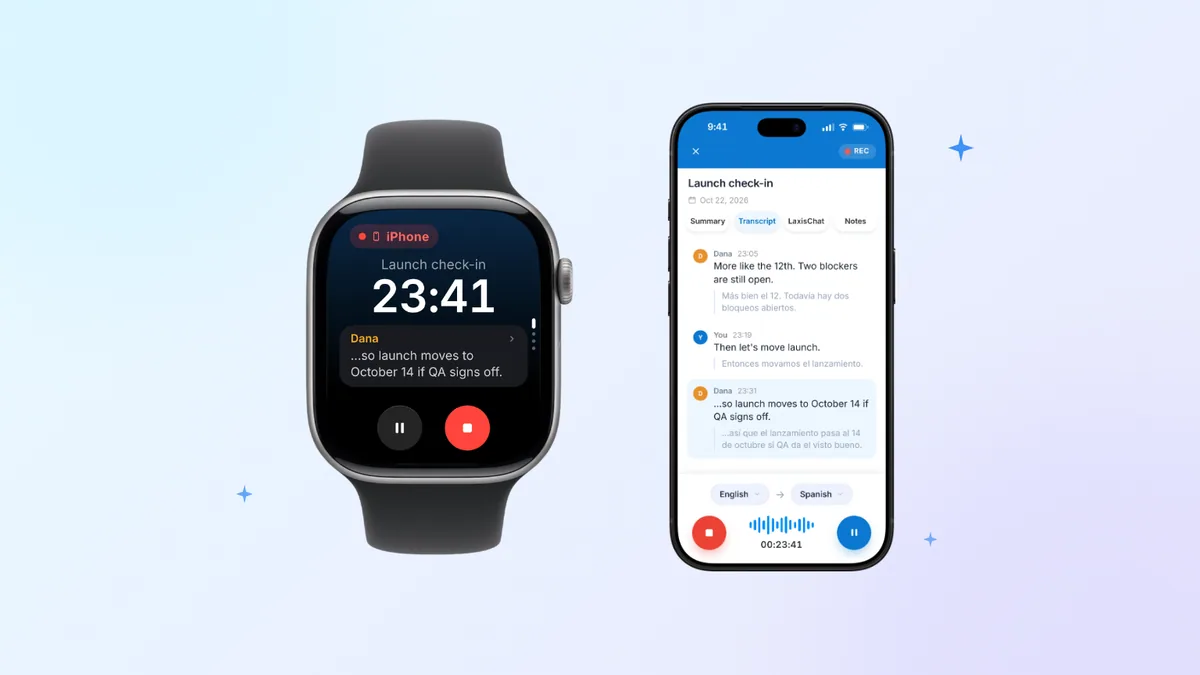
Three touches help in meetings. Start from the next meeting the watch shows you, and the notes land under that meeting. Tap the flag when someone says a number or a deadline you'll need; every mark becomes a jump point in the transcript. And if your iPhone is already recording in the middle of the table, the watch becomes a remote, with the timer, the live transcript, and pause and stop on your wrist. The finished notes are filed with the rest of your meetings in the Laxis AI meeting assistant, which you can open on iPhone, Mac, Windows or the web.
The limits, plainly. Setup and sign-in happen in the Laxis iPhone app, so you need an iPhone to get started. Transcription happens in the cloud after the recording syncs, not live on the watch. The 300 monthly minutes on the free Basic plan also cover dictation, and each recording follows your plan's length cap, with a nudge on your wrist at 10 and 5 minutes left. Asking questions across your notes from the wrist, with Ask Laxis, uses AI Chat, which is a Premium feature.
You can see the watch screens and setup steps on the Laxis for Apple Watch page.
For the full launch story, read our Laxis for Apple Watch announcement.
Get notes, not just audio. Download Laxis for iPhone from the App Store at no cost, then install it on your watch from the Watch app on iPhone. 14-day Premium trial, no credit card. Start recording with Laxis
Frequently asked questions
Can Apple Watch record audio without an iPhone?
Yes. Apple lists recording voice memos among the things Apple Watch can do when your iPhone is out of range and the watch has no Wi-Fi, so every model can record on its own. The recording stays on the watch and syncs to Voice Memos on iPhone, under Watch Recordings, once the watch can reach it again.
Where is the Voice Memos app on Apple Watch?
Press the Digital Crown to open your apps, then turn the crown until you find Voice Memos, or switch to List view to see every app in alphabetical order. You can also ask Siri to open Voice Memos. If it's gone, it may have been deleted, and Apple says built-in apps can be restored from the App Store on iPhone or Apple Watch.
How long can you record on Apple Watch?
Apple doesn't publish a maximum length for Voice Memos on Apple Watch, so free storage and battery are the practical limits. You can check free space in Settings, then General, then Storage. Apps set their own caps: Laxis records up to 45 minutes at a time on its free plan and up to 2 hours on Premium, taps your wrist at 10 and 5 minutes left, then saves automatically.
How do I use the Action button to record a voice memo?
On Apple Watch Ultra models, open Settings on the watch, tap Action Button, tap Action and choose Voice Memo. After that, press the Action button once to start a voice memo and press it again to stop recording. Other Apple Watch models have no Action button, so a Voice Memos complication on the watch face is the closest shortcut.
Can Apple Watch record conversations?
Yes, Apple Watch can record any conversation its microphone picks up, with Voice Memos or an app such as Laxis. Depending on where you are, recording people may require their consent, and some places require everyone to agree, so tell people before you start. The small microphone icon watchOS shows is not notice to anyone else.
Can Apple Watch record video?
No. Apple Watch has no camera, so it cannot record video by itself. It can control the camera on your iPhone instead: open Camera Remote on the watch, frame the shot, then touch and hold the shutter button to start recording and tap Stop to finish. The video is saved to Photos on iPhone, and the watch must stay within Bluetooth range.